Handwriting to Text & Word OCR

Handwriting to Text & Word OCR Summary
Handwriting to Text & Word OCR is a with in-app purchases Android app in Productivity by Serendi LTD. Released in Jul 2018 (7 years ago). It has about 1.7M+ installs and 24.4K ratings with a 4.28★ (good) average. Based on AppGoblin estimates, it reaches roughly 70.6K monthly active users and generates around $<10K monthly revenue (100% IAP / 0% ads). Store metadata: updated Feb 26, 2026.
Recent activity: 1.7K installs this week (7.7K over 4 weeks) showing steady growth , and 36 new ratings this week View trends →
Store info: Last updated on Google Play on Feb 26, 2026 .
4.28★
Ratings: 24.4K
Screenshots



App Description
Pen to Print: Convert Notes from Image to Text, Digitize Cursive & Messy Writing
If handwritten notes are part of your workflow but digitizing them is slow and frustrating, Pen to Print is exactly what you need. Built for precise handwriting to text and image to text conversion, it uses advanced handwriting OCR to digitize your notes and turn them into editable, searchable documents you can export to Word or as text to any app you use.
While other scanners struggle with handwriting, Pen to Print excels as a dedicated handwriting to text app and highly capable cursive reader, accurately handling even messy handwriting and illegible scripts. The AI handwriting OCR engine is trained to decipher complex scribbles and digitize script from image to text that other tools simply cannot read.
How to Convert Handwriting to Text:
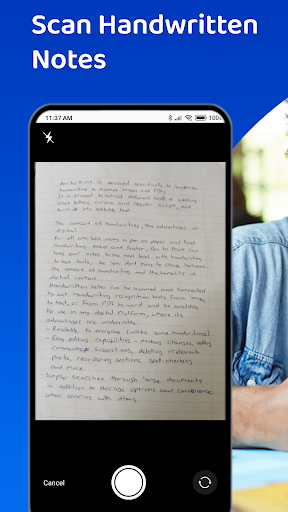
1. Scan: Use the app to take a photo of your handwritten notes or upload an existing image.
2. Convert Image to Text: Our handwriting OCR engine identifies the characters, and converts the handwriting to text.
3. Review & Edit: Use the editable interface to decipher any unique shorthand and verify the transcription.
4. Export: Save your results as a Word doc, TXT, or export to your cloud storage or other apps.
Key Benefits of Pen to Print:
Convert Handwriting to Editable Text:
Scan and convert any handwriting to text. Once you digitize, you can edit content directly, correct errors, and format the extracted text to fit your workflow.
Seamless Export and Sharing:
Move your converted notes exactly where you need them. Easily export your recognized text as a Word document or TXT file. Pen to Print supports smooth image to text export for maximum flexibility.
Searchable Digital Archive:
Create a long-term, searchable digital archive of your handwritten material. By converting your notes into digital text, you can quickly locate information and organize your files.
Who is it for? Pen to Print is the essential tool for:
- Students capturing and digitizing lecture notes and assignments into Word for easier study.
- Teachers converting and grading handwritten student work quickly.
- Genealogists and researchers transcribing historical documents and old family letters from handwriting to text
- Business teams digitizing meeting notes and brainstorms into searchable action items.
- Writers converting handwritten drafts and notebooks from scanned image to text making it into editable content.
- Individuals looking to decipher cursive or messy handwriting.
Why Choose Pen to Print?
Pen to Print provides a fast, accurate, and intuitive way to convert, digitize, and transcribe handwritten notes using advanced handwriting OCR. If you need a reliable handwriting to text and image to text tool that turns any scribble, note, or document into editable, searchable, and easily exportable digital text, Pen to Print delivers the complete solution.
For more information, handwriting to text services and online handwriting OCR tools, visit our website at https://www.pen-to-print.com
Download Pen to Print today, transform your handwriting to text and turn your notes into a powerful digital asset!