MAX6

ASO Keyword Dashboard
Tracking 178 keywords for MAX6 in Google Play
MAX6 tracks 178 keywords (no keywords rank yet; 178 need traction). Key metrics: opportunity 70.4, difficulty 45.5.
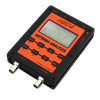
MAX6 Vector Network Analyzer controller
Tracked keywords
178
0 ranked • 178 not ranking yet
Top 10 coverage
—
Best rank — • Latest leader —
Avg opportunity
70.4
Top keyword: minimum
Avg difficulty
45.5
Lower scores indicate easier wins
Opportunity leaders
- 64.8
minimum
Opportunity: 74.0 • Difficulty: 43.8 • Rank —
Competitors: 865
- 65.3
freely
Opportunity: 74.0 • Difficulty: 43.6 • Rank —
Competitors: 953
- 63.1
generator
Opportunity: 74.0 • Difficulty: 42.5 • Rank —
Competitors: 593
- 61.3
length
Opportunity: 74.0 • Difficulty: 39.1 • Rank —
Competitors: 370
- 65.3
calculation
Opportunity: 74.0 • Difficulty: 41.2 • Rank —
Competitors: 383
Unranked opportunities
minimum
Opportunity: 74.0 • Difficulty: 43.8 • Competitors: 865
freely
Opportunity: 74.0 • Difficulty: 43.6 • Competitors: 953
generator
Opportunity: 74.0 • Difficulty: 42.5 • Competitors: 593
length
Opportunity: 74.0 • Difficulty: 39.1 • Competitors: 370
calculation
Opportunity: 74.0 • Difficulty: 41.2 • Competitors: 383
High competition keywords
time
Total apps: 382,929 • Major competitors: 17,710
Latest rank: — • Difficulty: 57.6
new
Total apps: 367,454 • Major competitors: 23,526
Latest rank: — • Difficulty: 58.6
easy
Total apps: 326,452 • Major competitors: 16,147
Latest rank: — • Difficulty: 56.2
make
Total apps: 326,182 • Major competitors: 20,145
Latest rank: — • Difficulty: 57.5
help
Total apps: 284,047 • Major competitors: 15,704
Latest rank: — • Difficulty: 58.5
All tracked keywords
Includes opportunity, difficulty, rankings and competitor benchmarks
| Major Competitors | |||||||
|---|---|---|---|---|---|---|---|
| play | 66 | 100 | 60 | 85 208,943 competing apps Median installs: 7,217 Avg rating: 4.0 | — | — | 20,417 major competitor apps |
| new | 65 | 100 | 59 | 89 367,454 competing apps Median installs: 3,179 Avg rating: 4.0 | — | — | 23,526 major competitor apps |
| offline | 68 | 100 | 54 | 80 113,207 competing apps Median installs: 4,232 Avg rating: 4.1 | — | — | 7,087 major competitor apps |
| level | 68 | 100 | 54 | 80 110,874 competing apps Median installs: 2,238 Avg rating: 4.0 | — | — | 7,012 major competitor apps |
| offline mode | 73 | 100 | 39 | 58 4,240 competing apps Median installs: 3,560 Avg rating: 4.1 | — | — | 271 major competitor apps |
| mode | 69 | 100 | 56 | 77 69,832 competing apps Median installs: 5,252 Avg rating: 4.0 | — | — | 5,820 major competitor apps |
| change | 68 | 100 | 52 | 79 91,034 competing apps Median installs: 4,830 Avg rating: 4.0 | — | — | 6,404 major competitor apps |
| version | 70 | 100 | 54 | 76 57,146 competing apps Median installs: 4,943 Avg rating: 4.0 | — | — | 3,388 major competitor apps |
| easy | 65 | 100 | 56 | 88 326,452 competing apps Median installs: 2,543 Avg rating: 4.0 | — | — | 16,147 major competitor apps |
| export | 73 | 100 | 46 | 68 18,636 competing apps Median installs: 2,163 Avg rating: 4.0 | — | — | 1,077 major competitor apps |
| make | 65 | 100 | 57 | 88 326,182 competing apps Median installs: 2,543 Avg rating: 4.0 | — | — | 20,145 major competitor apps |
| better | 69 | 100 | 51 | 78 81,932 competing apps Median installs: 2,188 Avg rating: 4.0 | — | — | 4,354 major competitor apps |
| step | 69 | 100 | 51 | 78 84,995 competing apps Median installs: 1,486 Avg rating: 4.0 | — | — | 4,186 major competitor apps |
| support | 67 | 100 | 55 | 83 172,647 competing apps Median installs: 1,493 Avg rating: 4.1 | — | — | 8,042 major competitor apps |
| range | 68 | 100 | 50 | 79 90,762 competing apps Median installs: 1,487 Avg rating: 4.0 | — | — | 4,601 major competitor apps |
| audio | 69 | 100 | 52 | 77 67,823 competing apps Median installs: 4,164 Avg rating: 4.2 | — | — | 3,553 major competitor apps |
| live | 67 | 100 | 55 | 82 144,518 competing apps Median installs: 1,577 Avg rating: 4.1 | — | — | 7,022 major competitor apps |
| used | 68 | 100 | 54 | 81 115,786 competing apps Median installs: 3,168 Avg rating: 4.0 | — | — | 5,082 major competitor apps |
| save | 67 | 100 | 57 | 83 158,392 competing apps Median installs: 3,468 Avg rating: 4.0 | — | — | 10,416 major competitor apps |
| control | 67 | 100 | 54 | 82 137,320 competing apps Median installs: 1,856 Avg rating: 3.8 | — | — | 7,574 major competitor apps |
| file | 72 | 100 | 57 | 71 29,280 competing apps Median installs: 6,187 Avg rating: 4.0 | — | — | 2,461 major competitor apps |
| list | 69 | 100 | 52 | 78 82,987 competing apps Median installs: 2,567 Avg rating: 4.1 | — | — | 3,584 major competitor apps |
| working | 70 | 100 | 50 | 74 43,271 competing apps Median installs: 1,786 Avg rating: 4.0 | — | — | 1,838 major competitor apps |
| using | 66 | 100 | 57 | 85 221,047 competing apps Median installs: 2,913 Avg rating: 3.9 | — | — | 12,071 major competitor apps |
| include | 71 | 100 | 47 | 72 31,898 competing apps Median installs: 2,640 Avg rating: 4.0 | — | — | 1,401 major competitor apps |
App Description
MAX6 Vector Network Analyzer controller
http://www.antenna-analyzer.com/
Is still in beta so your feedback is essential to make it better. Current version has the following features:
- Fully control the data acquisition from MAX6;
- Support for both 180MHz and 500MHz MAX6 versions;
- Support for all Smartphones and Tablets with a resolution between 320x240 and 1920x1080, based on Android version 2.2 or higher (physically tested on Galaxy TAB 7.7 P6800, SGS, SGS2, SGS3, Galaxy Xcover, Overmax Steelcore 10+ and for the rest of the resolutions on emulators);
- Can connect over USB (on some tablets/smartphones) or Bluetooth;
- Display all the parameters values at the marker position (only for the selected ones);
- Calibration data is saved in the configuration file for each mode (reflection/transmission/frequency), so no need to repeat the procedure each time you start the application;
- Offline mode support allows you to load and/or save vectorial data without connecting to a MAX6. This mode can be used to play with all the features available for both Standard and Pro versions. Some sample files are included in the package;
- Compatibility at file level with Windows applications (ex. Zplots);
- Export data in CSV, ZPLOT or S1P format;
- Fast capture when in continuous mode (only 100 steps) for a higher speed;
- SM6ENG audio mode for easy tuning without looking at the screen;
- MAX6 battery voltage indicator;
- Impedance scale zoom in 3 steps (1000, 500 and 100 ohm);
- Frequency calibration data saved in the calibration file;
- Save screenshots to the ‘exports’ folder through a simple gesture;
Reflection (antenna) and Transmission modes support with the following features:
- gesture (Multi Touch) support for horizontal zoom and frequency shift without a new capture;
- parameters that can be measured : SWR, Z, Return Loss, Phase, Rs, |Xs|;
- you can select one of the predefined bands (all HAM bands), HF (HF, VHF), or a custom frequency interval;
- select parameter to display (using different colors);
- an on screen marker can be activated / deactivated and freely moved by dragging it around the screen;
- toggle display of all the selected parameters for the frequency with the minimum SWR in the selected frequency range displayed. You have the option to make this box full screen for a better visibility when you are outside tuning an antenna;
Frequency generator mode with the following features:
- 1 channel;
- Large DIGITS;
- Easy and intuitive operation, even with small screen devices;
- Possibility to manually enter the frequency through a numeric keypad;
- Working in manual frequency set OR continuous (live) mode;
- Rotary knob to change parameters in both manual and live modes. The knob provides acceleration;
- Frequency calibration can be done in a very intuitive mode from Generator mode.
Cable data mode with the following features:
- large display objects;
- easy and intuitive operation, even with small screen devices;
- background control graphs for Phase and Loss, calculation is done automatically;
- just connect the cable to be measured at the DUT connector with the other end open;
- include a list of well-known coax cables and their Velocity Factor;
- measure and calculate cable length from less than 1m to hundreds of meters;
- cable length is measured in 2 steps, for a better accurcy (second step reduce the frequency interval);
- operate in meter or feet mode;
- measure cable loss for different frequencies from 0.1 To 180/500 MHz;
- can work in Offline mode, if the cable was measured before and data saved in a file.
More details are available in the included help or on my web site.
Thank you in advance for your feedback.
Dan (YO3GGX) and Jarek (SP3SWJ)