Round corners and Hide notch


Round corners and Hide notch Summary
Round corners and Hide notch is a ad-supported, with in-app purchases Android app in Personalization by Gesture guy. Released in Nov 2019 (6 years ago). It has about 331.8K+ installs and 1.3K ratings with a 3.65★ (average) average. Based on AppGoblin estimates, it reaches roughly 3.4K monthly active users and generates around $<10K monthly revenue (46% IAP / 54% ads). Store metadata: updated Sep 28, 2025.
Recent activity: 336 installs this week (2K over 4 weeks) showing steady growth View trends →
Store info: Last updated on Google Play on Sep 28, 2025 .
3.65★
Ratings: 1.3K
Screenshots


App Description
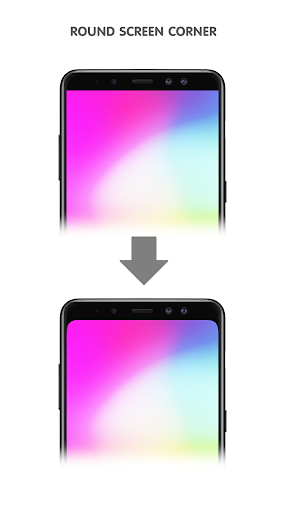
Round screen corners; Hide notch, waterdrop, punch hole camera... in the display
Round screen corners and hide notch on your display
Features:
- Rounds the corners of your screen
- Change size of rounded corners
- Hide notch, waterdrop, punch hole camera... on your display
- This app was optimized so it consumes very little memory and doesn't drain your battery at all.
Note:
If your phone have a "notch", waterdrop selfie camera or punch hole selfie camera on the display, this app colors the status bar black, making it better fit with the notch (thereby "hiding" it). Even if you don't have a notch, but still want a black status bar, or round screen corners, you can use the app too.
Important:
- Android 8+ prevents screen overlays from showing on the lockscreen, so this app will not and cannot work when the device is locked!
- If "Forces status bar icons visible" checked, the app will forces the status bar icons to be white. On some devices, this process also forces the navigation bar buttons to be white, occasionally resulting in an issue where the buttons are white on a white background.
Please understand that, while these limitations can be worked around, those workarounds could cause many other issues.
Permission:
This app need "System overlay" permission, used for draw corners and status bar background on top of other applications.