My Work Clock - Hours Tracker

My Work Clock - Hours Tracker Summary
My Work Clock - Hours Tracker is a ad-supported Android app in Productivity by NRS Magic LTD. Released in Oct 2010 (15 years ago). It has about 1.4M+ installs and 25.7K ratings with a 4.59★ (excellent) average. Based on AppGoblin estimates, it reaches roughly 40.4K monthly active users and generates around $<10K monthly revenue (0% IAP / 100% ads). Store metadata: updated Mar 12, 2026.
Recent activity: -7 new ratings this week View trends →
Store info: Last updated on Google Play on Mar 12, 2026 .
4.59★
Ratings: 25.7K
Screenshots

App Description
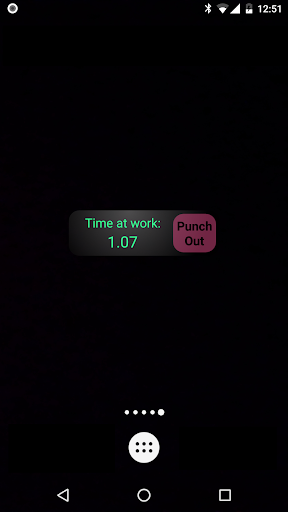
Simple punch-in/punch-out clock & widget for tracking the time at work.
Simple punch-in/punch-out clock & widget for tracking the time at work.
Features (very partial list):
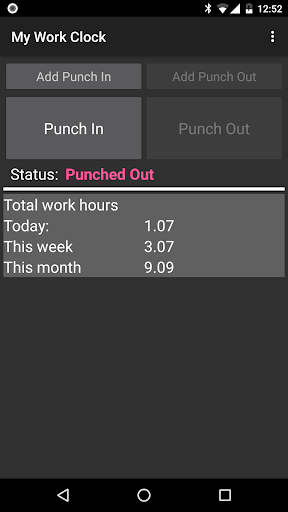
* Overtime support
* Multiple jobs support
* Calendar update [Job Setting] add records to the calendar (it's recommended to open a separate calendar for 'My Work Clock'). ONE WAY-SYNC ONLY.
* Punch in/out directly from the widget
* Quick day, week & month information
* Simple reports
* Send to mail as CSV
* Add/remove/edit records
* Multiple overtime and report periods: daily, weekly, bi-weekly, monthly and more.
NOTES:
* If the widget stops updating: make sure the application appears in your task killer 'white list'.
* No move-to-SD option: widgets do not work when an app is on the SD. We got many error reports from users so we disabled this option.
Required permissions reasoning:
*. READ CALENDAR EVENTS PLUS CONFIDENTIAL INFORMATION
*. ADD OR MODIFY CALENDAR EVENTS AND SEND EMAIL TO GUESTS WITHOUT OWNERS' KNOWLEDGE
== Required for Google calendar sync
*. MODIFY/DELETE SD CARD CONTENTS
== Required to save CSV before sending by e-mail backup.
*. FULL INTERNET ACCESS & VIEW NETWORK STATE
== Required for bug report, analytics & ads.