OG Trail - Travel to Oregon


OG Trail - Travel to Oregon Summary
OG Trail - Travel to Oregon is a mobile Android app in Educational by UserLAnd Technologies. Released in Apr 2024 (1 year ago). It has about 22K+ installs and 447 ratings with a 4.43★ (good) average. Based on AppGoblin estimates, it reaches roughly 1.2K monthly active users . Store metadata: updated Dec 5, 2025.
Recent activity: 180 installs this week (948 over 4 weeks) showing steady growth , and 6.00 new ratings this week View trends →
Store info: Last updated on Google Play on Dec 5, 2025 .
4.43★
Ratings: 447
Screenshots


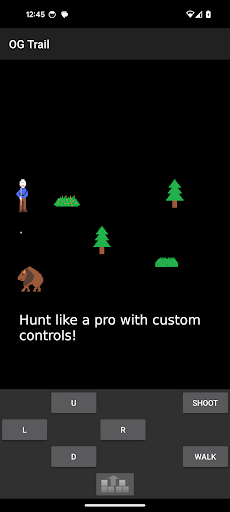
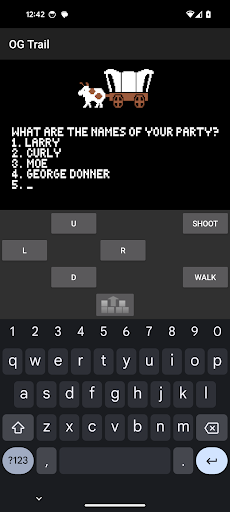
App Description
OG Trail - Lets you play the classic Oregon Trail simulation game on Android
OG Trail - makes playing the classic Oregon Trail simulation possible and easy on Android devices.
OG Trail is not the game itself and does not contain or require any ROM to play.
OG Trail simply provides an interface to the publicly available Internet Archive posting of the streaming version of that game found here: https://archive.org/details/msdos_Oregon_Trail_The_1990
This requires internet to load, but does not use any data after that.
Instructions for new users or testers:
OG Trail lets you play an unmodified version of The Oregon Trail (TM) game. As such, you don't tap on the game itself to interact with it as the game wasn't made originally for touchscreens. Instead you use the onscreen keyboard or onscreen control pad to interact with the game. For example, when the game gives you a set of choices, you click the number on the keyboard or control pad that matches your choice and then hit the enter button. If the game give you a yes/no question, you can either type "y" or "yes" for affirmative and "n" or "no" for negative and then hit the enter button using the onscreen keyboard. Alternatively you can hit the check mark for affirmative or the x for negative on the onscreen control pad.
For more details about the original game and how to play it, please see this user guide: https://archive.org/details/A2_MECC_A157_The_Oregon_Trail_manual
Current icon provided by Creative Commons Attribution, https://creativecommons.org/licenses/by/4.0/ by vectorportal.com