XPS File Converter - Viewer


XPS File Converter - Viewer Summary
XPS File Converter - Viewer is a ad-supported Android app in Tools by TH74Dev. Released in Dec 2022 (3 years ago). It has about 7.8K+ installs Based on AppGoblin estimates, it reaches roughly 343 monthly active users and generates around $<10K monthly revenue (0% IAP / 100% ads). Store metadata: updated Nov 7, 2025.
Recent activity: 15 installs this week (54 over 4 weeks) showing steady growth View trends →
Store info: Last updated on Google Play on Nov 7, 2025 .
4.32★
Ratings: 0
Screenshots

App Description
Easily open and view XPS file , convert XPS to PDF
What is XPS?
Microsoft users are probably familiar with the XPS format. This file format has been around for a while. Even though it offers many advantages, XPS is not so easy to handle. For effective handling, the best option is to convert XPS to PDF.
The XPS is a standardized, open format. It stands for Open XML Paper Specification. The XPS files were first used as a replacement for the EMF format.
This format is a Microsoft alternative to PDF. It was introduced in Windows Vista for the first time but since then has never gained more traction among users. Too sum it up, an XPS file is Microsoft's less compatible version of a PDF file. Still, a modern version of Windows continues to include a better support for XPS files than PDF files. Microsoft Word even chooses XPS over PDF to save documents in a fixed-layout file.
Why should you convert XPS files to PDF?
Both, XPS and PDF file formats are designed to provide read-only documents with optimal print quality. They also embed all the necessary fonts, store metadata, and can include hyperlinks. However, since the XPS format is not as common as PDF, some operating systems include Android might not support it.
Nowadays, it is essential to be able to easily open and view documents on mobile devices (Android, iOS). In the case of XPS files, it is first necessary to convert the XPS file to another format (PDF).
When sending documents, the recipient will be familiar with the PDF files and will be able to open them. The XPS file may look unfamiliar, and the recipient may not be able to open it at all.
How to convert XPS to PDF?
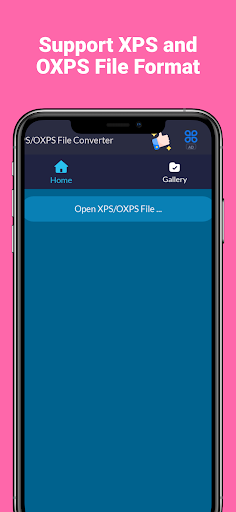
1. Use XPS File Reader and select your XPS file.
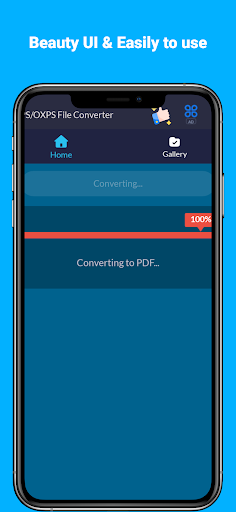
2. Wait a little for complete converting.
3. You can view it or share it to your friends!