Video Player All Format


Video Player All Format Summary
Video Player All Format is a Android app in the Video Players category, developed by MINIQUE.AI. First released 2 years ago(Nov 2023), the app has accumulated 352.5K+ total installs and 5.4K ratings with a 4.57★ (excellent) average rating.
Recent activity: 1.2K installs this week (3K over 4 weeks) showing steady growth , and 17 new ratings this week (55 over 4 weeks) with stable momentum. View trends →
Data tracking: SDKs and third-party integrations were last analyzed on Sep 1, 2025. The app's network data flows (API traffic to/from the app and its SDKs) were last crawled on Oct 7, 2025.
Store info: Last updated on Google Play on Sep 4, 2025 (version 14).
Video Player All Format was last scanned for SDKs 2025-09-01. Below is the overview of third party companies detected in the app. The full list of raw SDKs, app permissions and unknown SDKs is available here.
 BouncyCastle
 Square
 Kotlin
 Jake Wharton
 Keepsafe
 Firebase
 Google
4.57★
Ratings: 5.4K
Screenshots

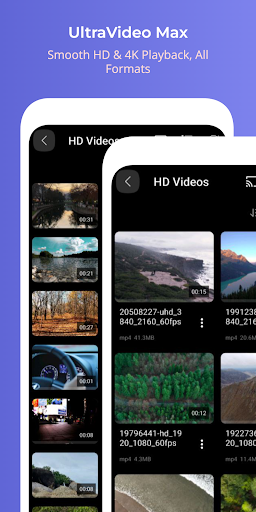

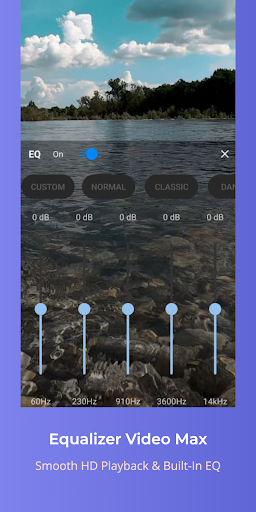
App Description
Perfect video player with video all format, all codec.
Meet 'Video Player All Format', available for free, right now!
◼︎ All-in-one video player
- Video Player: Smooth switching between full screen videos, mini videos and preview videos
- Floating(PIP) player: PIP player with progress bar
- Subtitle Player: Multilingual and all subtitle formats(SRT, SMI, SUB, VTT, etc)
- Everything is free!
◼︎ All media formats and codecs
- All video resolutions - SD, VGA, DVD, HD, Full HD, UHD, 2K, 4K, 720p, 1080p, 2160p, 10bit etc.
- All video formats - MKV, MP4, 3GP, AMV, ASF, AVI, FLV, MOV, MPEG, MPG, OGV, RM, RMVB, TS, VOB, WebM, WMV etc.
- All video codecs - H265, H264, HEVC, MPEG, VP6, VP7, VP8, VP9, WMV, x265, x264, DivX, Xvid etc.
- All audio codecs - AC3, AAC, MP3, MP2, AMRNB, FLAC, APE, OPUS, VORBIS, APE, WMA, WAV etc and DTS, EAC3, TrueHD other external codecs.
◼︎ Video function
- Supports SDcard and USB(OTG)
- Hardware(HW), software(SW), HW+SW(HW+) decoder priority settings
- Background playback(audio mode)
- Audio equalizer: 7 presets including custom, normal, rock, jazz, classical, dance, pop music etc.
- Slow motion(0.5x~), fast motion(~4x) playback speed
- Set double tap navigation interval(seconds)
- Brightness, volume, mute
- Fill, optimal fit, video fit, optimal crop, 21:9, 16:9, 4:3, 1:1 etc screen ratio
- Zoom in/move screen to 500%
- Random, repetition, AB section repetition
- Landscape/Portrait automatic and manual screen switching
- Video embedded audio(multilingual) track
- One touch auto audio sync
- Subtitle sync
- Select subtitle file saved on the device
- Video external/internal(multilingual) subtitle track
- Screen left/right reverse playback
- Screen capture
- Sleep timer
- Select all and AB sections
- Function order sorting
- File share
- Info etc.
- Everything is free!
◼︎ Video gestures
- Playback speed: Two fingers up/down on the screen and long-touch(play button) default
- Pause/Resume: Double tap in the center of the screen
- Volume: Top/bottom right of screen with one finger
- Brightness: Top/bottom left of screen with one finger
- Double tap navigation: Double tap left/right of the screen
- Navigation: One finger screen left/right
- Screen zoomin/move: Pinch zoom-in/out, double tap(default)
Permissions:
DIIX needs permission on the following categories
READ EXTERNAL STORAGE (mandatory)
- is required in order to rea