Speaking Alarm Clock

Speaking Alarm Clock Summary
Speaking Alarm Clock is a ad-supported Android app in Tools by Wansoft. Released in Mar 2012 (13 years ago). It has about 7.9M+ installs and 95.5K ratings with a 4.45★ (good) average. Based on AppGoblin estimates, it reaches roughly 319.3K monthly active users and generates around $<10K monthly revenue (0% IAP / 100% ads). Store metadata: updated Jun 13, 2025.
Recent activity: 2K installs this week (8K over 4 weeks) showing steady growth , and 9.00 new ratings this week View trends →
Store info: Last updated on Google Play on Jun 13, 2025 .
4.45★
Ratings: 95.5K
Screenshots


App Description
Hourly and interval chime with TTS voices, speaking stopwatch, speaking timer
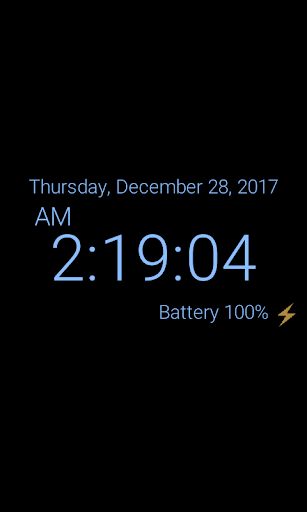
(1) Table clock
☆ You can easily check the date, time, and battery status by using a table clock.
▷ It is easy to adjust the brightness by touch.
▷ You can use burn-in prevention function.
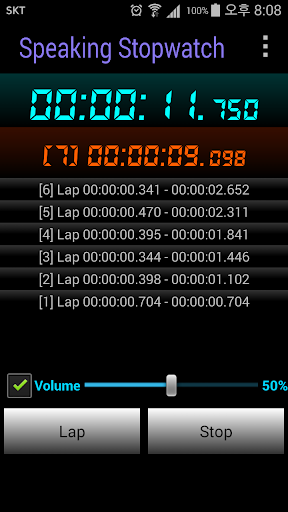
(2) Speaking stopwatch and timer
☆ Voice has been added to the stopwatch and timer.
▷ It informs by voice at each set time conveniently.
▷ It is also possible to share recorded contents.
(3) Tell me what time is it now
☆ You can easily check the current time without watching your mobile device.
▷ While listening to music, watching movies or playing games, you may wonder what time is it now. At that time, just shake the device, then clock will tell you the current time using TTS (Text to speech).
To activate this function, you can also use other options like turning screen on and off, etc.
(4) Morning wake-up alarm
☆ Wake-up time for weekdays and weekends can be set separated
☆ The volume of wake-up alarm can be increased automatically from the lowest to the highest level. This function makes you wake up without the shock of loud alarm.
☆ You can set internal ringtone sound or your music files(like MP3 or OGG) as alarm sound.
☆ If you want more sleep, just use the countdown snooze function.
☆ If you want to use puzzle lock to close alarm, you can choose math problem or number sequences problem.
(5) Hourly chime (on time alarm) and Interval (10, 20, 30, 40, 50 minutes, and more) alarm
☆ You can choose various voices or sounds for hourly chime.
☆ You can change the time and sound for each interval alarm.
(6) Scheduled alarms with voices
☆ The clock will tell you the schedule with TTS voices. You can change the time of each schedule.
(7) Battery full warning alarm
☆ If your device has fully charged, the clock will tell you that battery is fully charged.
(8) Battery low warning alarm
☆ If your device needs to be charged, the clock will tell you that battery is needed charging. The level of low battery can be changed as you want.
(9) TTS voice battery alarm
☆ When the charging cable is conntected or disconnected, the current battery level is announced by voice.
☆ If you set the battery interval notification, the battery level will be continuously announced in a TTS voice.
(10) Analog and digital clock widget
☆ You can