VideoBox - Cloud Video Player

VideoBox - Cloud Video Player Summary
VideoBox - Cloud Video Player is a free, ad-supported, with in-app purchases iOS app in Tools by Yajing Qian. Released in Nov 2015 (11 years ago). It has 168 ratings with a 4.43★ (good) average. Based on AppGoblin estimates, it reaches roughly 593 monthly active users and generates around $<10K monthly revenue (28% IAP / 72% ads). Store last updated Oct 2, 2026
VideoBox - Cloud Video Player SDKs Summary
App not yet scanned for SDKs.
4.43★
Ratings: 168
Screenshots


App Description
VideoBox is the all-in-one video downloader, media player and file manager for cloud storage services. Download, stream and organize your movies, TV shows and video clips — all in one app.
Cloud Storage & Media Server:
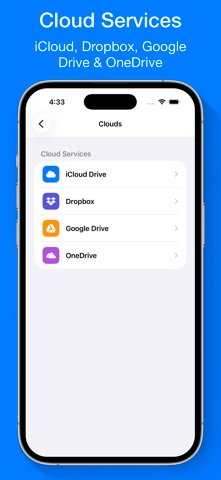
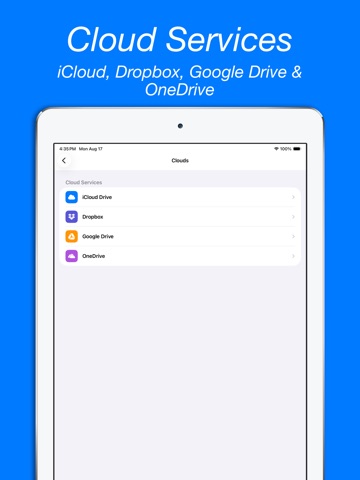
- Download and stream videos from iCloud Drive, Dropbox, Google Drive and OneDrive.
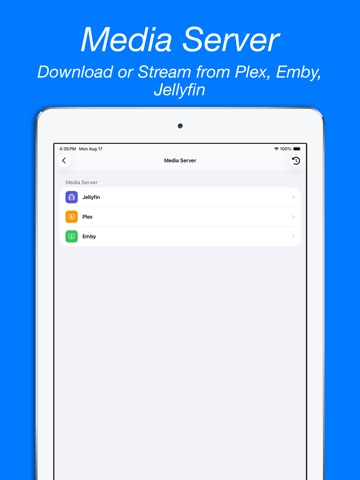
- Browse and play from your Plex, Emby or Jellyfin media server.
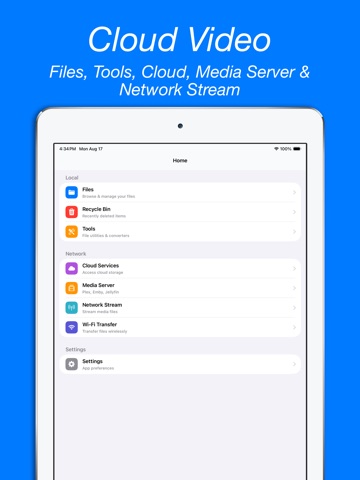
- Watch videos via DLNA, SMB, FTP, WebDAV and network streaming (M3U8/RTSP/RTMP).
- Transfer files over Wi-Fi from your computer or other devices.
Powerful Video Player:
- Play any format: MP4, MKV, AVI, FLV, RMVB, MOV, 3GP, DIVX, H.264, HEVC and more.
- Picture-in-Picture (PiP) and background audio playback.
- Auto play next episode — perfect for binge watching.
- Adjustable playback speed, subtitles (SRT/ASS) and audio track selection.
Video Tools:
- Built-in video converter — convert between formats easily.
- Trim, compress and reverse video clips.
File Manager:
- Create folders, rename, move, copy and delete files with ease.
- Import videos from the Files app, Photo Library or Camera Roll.
- Save and export videos to your Photo Library.
- iTunes File Sharing and USB transfer support.
Privacy & Security:
- Lock the app with Passcode, Touch ID or Face ID.
- Keep your private videos safe and hidden.
SUBSCRIPTION:
Payment will be charged to iTunes Account at confirmation of purchase. Subscription automatically renews unless auto-renew is turned off at least 24 hours before the end of the current period. Account will be charged for renewal within 24 hours prior to the end of the current period at the rate of the selected plan. Subscriptions and auto-renewal may be managed by going to Account Settings after purchase.
Terms of Service: https://www.ipopapp.com/terms-of-service/
Privacy Policy: https://www.ipopapp.com/privacy-policy/