Home Theater SPL

Home Theater SPL Summary
Home Theater SPL is a mobile iOS app in Tools by J.S. Technology Ltd.. Released in Jun 2015 (10 years ago). It has 2.00 ratings with a 1.00★ (poor) average. Based on AppGoblin estimates, it reaches roughly 6.00 monthly active users . Store metadata: updated Oct 27, 2024.
Store info: Last updated on App Store on Oct 27, 2024 .
1★
Ratings: 2.00
Screenshots


App Description
Home Theater SPL Information
Professionals use SPL meters to calibrate audio reproduction systems in cinemas, so why shouldn’t Home Theaters or Home Cinemas owners use them too? Now the very same SPL meter that’s in our TestCard ProHD app is available separately.
An SPL or “decibel” meter is an essential tool when setting up surround sound systems. Home Theater SPL a solution for calibrating the audio level of surround sound systems within the home without the need for additional equipment.
Our app TestCard ProHD is the innovative means to calibrating your screen and audio to ensure a consistent and correct representation of display media and surround sound and includes an SPL meter. If you wish to calibrate both audio and visual aspects of your Home Theater then please consider TestCard ProHD.
Surround Sound Level Setting.
An SPL, or “Decibel” meter, is a sound power meter to assist with setting the speaker levels. As speakers have different sensitivities they produce different levels of audio. One may be louder or quieter than another, and how the room is laid out will also have an effect, but the goal is to have similar levels from all speakers reaching the viewing position.
To create that “centered sound stage” it’s important to calibrate the system. While an approximation may be possible by ear, it is best done with an SPL meter. A second factor to consider is simply that it also verifies that each speaker is in the correct position! While working on an initial installation it is imperative to verify that audio is emanating from the selected speaker.
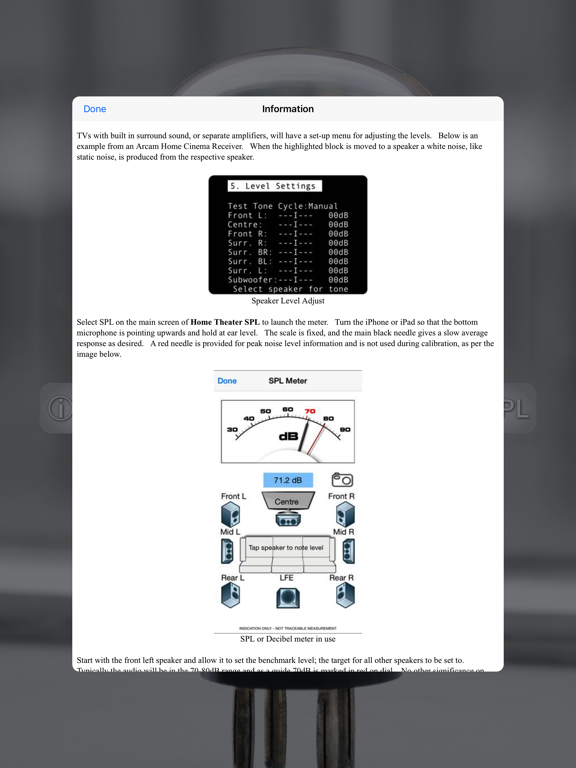
Select SPL on the main screen of Home Theater SPL to launch the meter. Turn the iPhone or iPad so that the bottom microphone is pointing upwards and hold at ear level. The scale is fixed, and the main black needle gives a slow average response as desired. A red needle is provided for peak noise level information and is not required during calibration.
Start with the front left speaker and allow it to set the benchmark level; the target for all other speakers to be set to. Typically the audio will be in the 70-80dB range and as a guide 70dB is marked in red on dial. With Home Theater SPL it is possible to note the current sound level by tapping on respective speaker, making it easier to recall where individual speakers wer