System utility! monitor status

System utility! monitor status Summary
System utility! monitor status is a free, ad-supported iOS app in Productivity by luca calciano. Released in Jul 2015 (11 years ago). It has 26 ratings with a 2.92★ (poor) average. Based on AppGoblin estimates, it reaches roughly 66 monthly active users and generates around $<10K monthly revenue (0% IAP / 100% ads). Store last updated Sep 29, 2026
System utility! monitor status SDKs Summary
App not yet scanned for SDKs.
2.92★
Ratings: 26
Screenshots


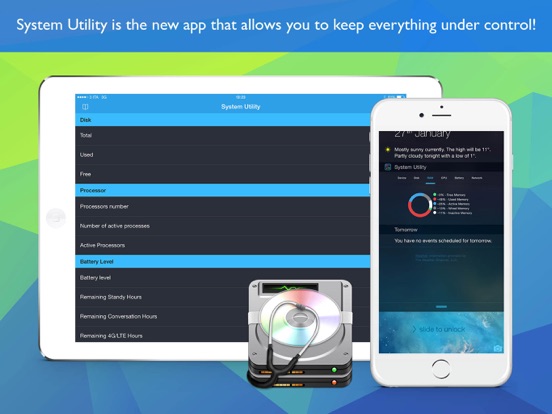
App Description
Keep your iPhone and iPad under control: battery, memory, storage, network and hardware in one app, with a Home Screen widget.
• DEVICE STATUS
Model, iOS version, display, processor, GPU, RAM (free, used, active, wired and inactive) and storage, updated in real time.
• BATTERY HISTORY
Chart of the charge level over the last 24 hours and 7 days, average drain per hour, estimated time left, last full charge and charging sessions.
• SPEED TEST
Measure ping, jitter, download and upload of your Wi-Fi or cellular connection and keep a history of your results.
• DEVICE TESTS
12 tests to check a new or used iPhone or iPad: display (dead pixels), touch screen, multi-touch, speakers, microphone, vibration, flashlight, sensors, proximity sensor, volume buttons, cameras and Face ID / Touch ID.
• PDF REPORT
Create a report with specifications, battery status and test results to share: perfect when you sell or buy a used device.
• WIDGET
Home Screen widget in three sizes. In the medium and large widgets, tap Device, Disk, RAM, CPU, Battery or Network to switch section without opening the app.
• PRIVACY
All data is read and saved only on your device. The camera and microphone are used only during the tests and nothing is recorded.
The app is free with ads. With a single optional purchase, no subscription, you unlock System Utility Pro:
- no ads
- 7 and 30-day battery history, average drain, estimated time left and charging sessions
- PDF report without watching videos
- full speed test history and CSV export
- large widget
Already purchased Pro? Tap "Restore purchases" in the Info screen.
Privacy: https://sites.google.com/site/termofuseapp/
Terms: https://www.apple.com/legal/internet-services/itunes/dev/stdeula/