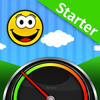
Too Noisy Starter
ASO Keyword Dashboard
Tracking 114 keywords for Too Noisy Starter in Apple App Store
Too Noisy Starter tracks 114 keywords (3 keywords rank; 111 need traction). Key metrics: 33% top-10 coverage, opportunity 70.5, difficulty 40.6, best rank 3.
Tracked keywords
114
3 ranked • 111 not ranking yet
Top 10 coverage
33%
Best rank 3 • Latest leader —
Avg opportunity
70.5
Top keyword: character
Avg difficulty
40.6
Lower scores indicate easier wins
Opportunity leaders
- 68.6
character
Opportunity: 73.0 • Difficulty: 42.8 • Rank —
Competitors: 454
- 68.5
changes
Opportunity: 73.0 • Difficulty: 43.7 • Rank —
Competitors: 276
- 64.0
tests
Opportunity: 73.0 • Difficulty: 39.2 • Rank —
Competitors: 119
- 67.3
case
Opportunity: 73.0 • Difficulty: 41.6 • Rank —
Competitors: 176
- 67.0
higher
Opportunity: 73.0 • Difficulty: 41.5 • Rank —
Competitors: 282
Unranked opportunities
character
Opportunity: 73.0 • Difficulty: 42.8 • Competitors: 454
changes
Opportunity: 73.0 • Difficulty: 43.7 • Competitors: 276
tests
Opportunity: 73.0 • Difficulty: 39.2 • Competitors: 119
case
Opportunity: 73.0 • Difficulty: 41.6 • Competitors: 176
higher
Opportunity: 73.0 • Difficulty: 41.5 • Competitors: 282
High competition keywords
like
Total apps: 153,440 • Major competitors: 4,507
Latest rank: — • Difficulty: 54.9
features
Total apps: 126,078 • Major competitors: 2,935
Latest rank: — • Difficulty: 53.5
way
Total apps: 115,846 • Major competitors: 2,692
Latest rank: — • Difficulty: 52.9
using
Total apps: 114,438 • Major competitors: 2,224
Latest rank: — • Difficulty: 52.7
designed
Total apps: 113,747 • Major competitors: 1,558
Latest rank: — • Difficulty: 51.3
All tracked keywords
Includes opportunity, difficulty, rankings and competitor benchmarks
| Major Competitors | |||||||
|---|---|---|---|---|---|---|---|
| noisy | 70 | 100 | 31 | 49 840 competing apps Median installs: 500 Avg rating: 4.2 | 3 | 3 | 13 major competitor apps |
| start | 67 | 100 | 53 | 83 104,552 competing apps Median installs: 400 Avg rating: 4.2 | 88 | 88 | 2,535 major competitor apps |
| behavioral | 71 | 100 | 33 | 54 1,876 competing apps Median installs: 300 Avg rating: 4.4 | 135 | 135 | 31 major competitor apps |
| fun | 67 | 100 | 52 | 82 91,358 competing apps Median installs: 550 Avg rating: 4.1 | — | — | 2,916 major competitor apps |
| character | 73 | 100 | 43 | 69 13,417 competing apps Median installs: 750 Avg rating: 4.1 | — | — | 454 major competitor apps |
| level | 68 | 100 | 50 | 79 55,951 competing apps Median installs: 500 Avg rating: 4.2 | — | — | 1,625 major competitor apps |
| changes | 73 | 100 | 44 | 68 13,184 competing apps Median installs: 400 Avg rating: 4.1 | — | — | 276 major competitor apps |
| version | 70 | 100 | 46 | 75 30,995 competing apps Median installs: 550 Avg rating: 4.0 | — | — | 574 major competitor apps |
| enjoy | 66 | 100 | 53 | 84 111,243 competing apps Median installs: 550 Avg rating: 4.2 | — | — | 3,263 major competitor apps |
| users | 68 | 100 | 49 | 79 60,428 competing apps Median installs: 300 Avg rating: 4.1 | — | — | 956 major competitor apps |
| designed | 66 | 100 | 51 | 84 113,747 competing apps Median installs: 300 Avg rating: 4.2 | — | — | 1,558 major competitor apps |
| image | 70 | 100 | 46 | 74 27,981 competing apps Median installs: 400 Avg rating: 4.0 | — | — | 498 major competitor apps |
| control | 68 | 100 | 50 | 81 72,867 competing apps Median installs: 400 Avg rating: 4.0 | — | — | 1,396 major competitor apps |
| way | 66 | 100 | 53 | 84 115,846 competing apps Median installs: 400 Avg rating: 4.2 | — | — | 2,692 major competitor apps |
| using | 66 | 100 | 53 | 84 114,438 competing apps Median installs: 450 Avg rating: 4.1 | — | — | 2,224 major competitor apps |
| available | 67 | 100 | 54 | 83 95,808 competing apps Median installs: 450 Avg rating: 4.1 | — | — | 2,473 major competitor apps |
| multiple | 68 | 100 | 50 | 81 76,474 competing apps Median installs: 400 Avg rating: 4.2 | — | — | 1,638 major competitor apps |
| virtual | 71 | 100 | 47 | 73 24,467 competing apps Median installs: 450 Avg rating: 4.1 | — | — | 651 major competitor apps |
| group | 71 | 100 | 49 | 73 25,668 competing apps Median installs: 300 Avg rating: 4.3 | — | — | 423 major competitor apps |
| tests | 73 | 100 | 39 | 64 7,039 competing apps Median installs: 450 Avg rating: 4.2 | — | — | 119 major competitor apps |
| pro | 71 | 100 | 46 | 73 24,643 competing apps Median installs: 550 Avg rating: 4.2 | — | — | 731 major competitor apps |
| engaging | 71 | 100 | 46 | 73 25,597 competing apps Median installs: 400 Avg rating: 4.3 | — | — | 553 major competitor apps |
| activity | 72 | 100 | 46 | 71 18,479 competing apps Median installs: 350 Avg rating: 4.2 | — | — | 367 major competitor apps |
| like | 66 | 100 | 55 | 86 153,440 competing apps Median installs: 500 Avg rating: 4.2 | — | — | 4,507 major competitor apps |
| feature | 70 | 100 | 48 | 75 33,172 competing apps Median installs: 500 Avg rating: 4.1 | — | — | 787 major competitor apps |
App Description
"Too Noisy Starter" displays graphically the background noise level in a room.
This “STARTER” version of the popular “Too Noisy Pro” app is designed to give the teacher a flavour of the capabilities of the “Pro” version. Users can upgrade to the Pro version (with features such as “Star Awards”, Audible Alarms, Multiple Themes, granular controls and numerous other fun features) from inside the App.
For the responsible adult it is like having a virtual assistant with you, constantly monitoring noise levels and letting the children know in a fun and engaging way if noise levels have reached an unacceptable level.
In tests we have found when using this app with groups of children peer pressure alone is generally sufficient to control noise levels.
So how does it work?
If the noise level is acceptable a happy, smiling, contented character is displayed.
If the levels of noise increases beyond what the responsible adult has determined as acceptable the character puts his fingers in his ears and background graphic changes to reflect the unacceptable noise level.
Once the level of noise returns to an acceptable leve, l the background graphic reverts back and the character returns to the happy contented one.
On occasions, it may well be that a higher level of background noise is acceptable, depending on the activity the children are engaged in. In this case the responsible adult can adjust the sensitivity of the app so that a higher level of noise is required before the graphic changes.
In addition there is a “Damper Setting”. This “dampens” the amount of movement of the needle. This helps reduce the impact of any sudden noises such as doors slamming or someone sneezing.
Where projectors, TV's or monitors are used, for example in classrooms, the image of the app can be mirrored to these devices so that the noise levels of larger groups of children can be controlled. Note: This feature is only available with the iPad 2, iPhone 4s and later devices and will require additional apps and/or hardware.