Measuring Tape, Photo Ruler
Measuring Tape, Photo Ruler Summary
Measuring Tape, Photo Ruler is a ad-supported, with in-app purchases iOS app in Productivity by Grymala sp. z o.o.. Released in Sep 2015 (10 years ago). It has 7.5K ratings with a 4.23★ (good) average. Based on AppGoblin estimates, it reaches roughly 22.5K monthly active users and generates around $<10K monthly revenue (32% IAP / 68% ads). Store metadata: updated Jun 10, 2026, version 2.
Recent activity: 3.00 new ratings this week View trends →
Data tracking: SDKs and third-party integrations were last analyzed on Jun 13, 2026.
Store info: Last updated on App Store on Jun 10, 2026 (version 2).
SDKs, Trackers & Permissions
Measuring Tape, Photo Ruler was last scanned for SDKs 2026-06-13. Below is the overview of third party companies detected in the app. The full list of raw SDKs, app permissions and unknown SDKs is available here.
AppGoblin saw Measuring Tape, Photo Ruler uses 2 Ad Networks
 One Signal
 Google
AppGoblin saw Measuring Tape, Photo Ruler uses 4 Development Tools
 MongoDB
 Airbnb Engineering
 nanopb
AppGoblin saw Measuring Tape, Photo Ruler uses 1 Business Tools
 RevenueCat
AppGoblin saw Measuring Tape, Photo Ruler uses 1 Analytics: Product
 Firebase
App Details
App Store
Ads & App-Ads.txt
AppGoblin SDK Scans
4.23★
Ratings: 7.5K
Screenshots


App Description
Prime Ruler – A Versatile Tool for Accurate Measurements with AR and Traditional Features!
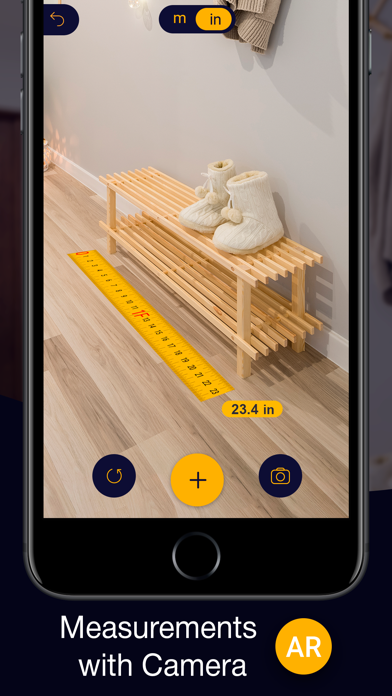
Prime Ruler combines augmented reality (AR) technology and on-screen tools to make measurements as convenient and precise as possible. With a redesigned interface and new features, the app is the perfect choice for both professional tasks and everyday use.
Whether you're working on construction and design projects or need quick measurements at home, Prime Ruler has everything you need for accurate and easy measurements in one app!
What’s New?
-Completely updated interface: more intuitive and user-friendly.
-Flexible measuring tape: easily measure curved objects.
-Bubble Level: Ensure perfect alignment and leveling for any surface.
-Projects: save, edit, and manage your measurements.
-On-screen ruler (1D/2D): measure directly on your device’s screen.
-Photo ruler: measure objects using photos.
-Plan mode: visualize results and plan your projects.
Key Features:
AR Ruler: Measure lengths, areas, angles, and volumes using augmented reality.
Distance Meter: Determine distances to objects.
Height: Measure the height of objects relative to a surface.
Area and Perimeter: Easily calculate surface parameters.
Flexible Measuring Tape: Perfect for non-standard and curved shapes.
Bubble Level: A precise tool for checking horizontal and vertical alignment.
Surface Level: Check the flatness of horizontal and vertical surfaces.
Angle Lock: Ideal for repeated measurements, tiling, or furniture assembly.
Slope Measurement: Determine angles of inclination, from small to steep.
On-Screen Ruler: Measure small objects by placing them directly on your device’s screen.
Photo Ruler: Measure objects using photos and reference items.
Projects: Create and save measurements for long-term tasks.
How Prime Ruler Works:
AR Tools: Activate your camera, aim at a surface, and choose the appropriate tool.
Photo Ruler: Take a picture of the object, select a reference item (like a credit card or coin), and adjust markers for accurate measurements.
On-Screen Ruler: Place the object on your screen and adjust the boundaries to get the result.
Bubble Level: Use your device’s sensors to check if a surface is perfectly horizontal or vertical.
With Prime Ruler, you’ll always have an accurate measurement tool at your fingertips!
Subscription:
Premium Subscription with 3