JotTheDate-Draw your Calendar.

JotTheDate-Draw your Calendar. Summary
JotTheDate-Draw your Calendar. is a with in-app purchases iOS app in Productivity by iStArtApp. Released in Nov 2015 (10 years ago). It has 72 ratings with a 3.26★ (mixed) average. Based on AppGoblin estimates, it reaches roughly 121 monthly active users and generates around $<10K monthly revenue (100% IAP / 0% ads). Store metadata: updated Jan 29, 2023.
Store info: Last updated on App Store on Jan 29, 2023 .
3.26★
Ratings: 72
Screenshots


App Description
JotTheDate: your great freehand Calendar !
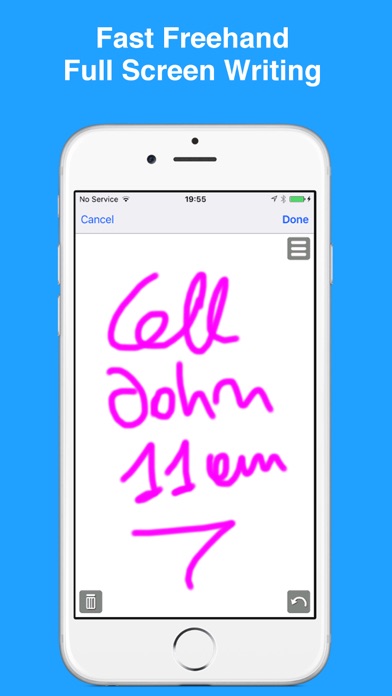
Why type your calendar events? Just draw with JotTheDate.
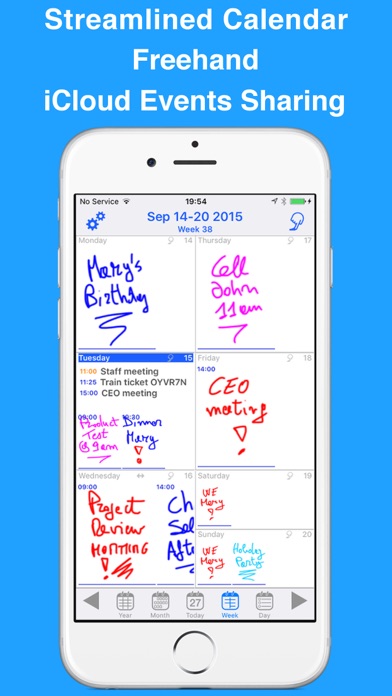
Handwrite your note as text or sketch, and JotTheDate will show the event or reminder in the Calendar.
Whether it’s a scribble, a sketch, or a smiley, this calendar app lets you add your events by drawing them with a finger on the screen.
You can add appointment reminders, notes, travel time, and more. So, you can be creative and sketch your way to your next event, choosing your color and brush size. Just draw or write your event with your finger. Sketch a heart for your anniversary dinner, a necktie for your business meeting, or a book for your college class. Can’t draw? Jot down your pet’s name for their vet appointment, the name of the club where you are meeting your friends, or the name of the park for your kid’s play date.
You can also give the event a name if you like for viewing in other calendar apps. Add the basics you need like the location and start and end times. You can have it repeat, invite others, and set up two different alerts.
Your events can also be All Day, contain notes and a URL, and be added to a specific calendar if you have more than one.
The app also works without an Internet connection.
UNIVERSAL APP
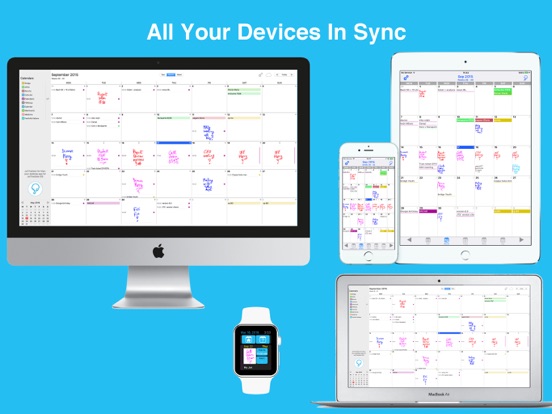
JotTheDate is compatible with iPhone, iPad, Apple Watch, iPod touch and Mac. Once downloaded with your Apple account, you can use it on all your devices.
Using your iCloud account all events, reminders and sketches will be automatically shared and synced in all your devices.
HANDWRITTEN EVENTS
You will not be forced to use the iPhone or iPad keypad to enter an event: just draw with JotTheDate!
HANDWRITTEN REMINDERS
If you simply wish to draw or type a quick note as a reminder, you can do it with the Reminders view.
INTEGRATION WITH THE iOS CALENDAR APP
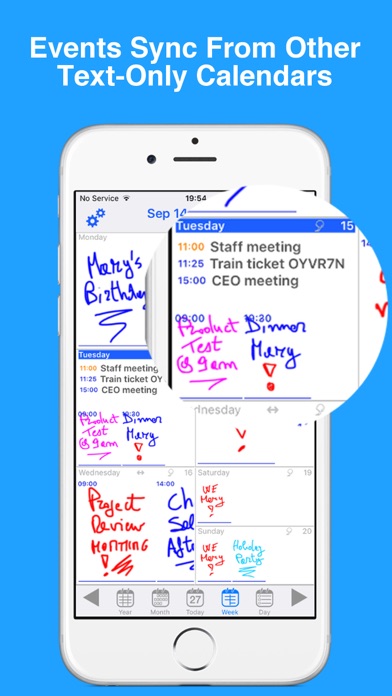
All events and reminders are shared with any other iOS and macOS Calendar app and existing events and reminders are automatically loaded: just launch JotTheDate !
JotTheDate fully integrates with all existing calendars.
SEVERAL VIEWS
JotTheDate supports various standard views:
• Day
• Week
• Month
• Year
• List
• Month and List.
• Reminders
WEEK VIEW
Awesome for your work during the week. On Mac and iPad you may choose a grid view or a vertical format with the days all side by side.
REAL TIME SYNC
JotTheDate automatically syncs all your iOS devices.
M