Adaptivity (A)

Adaptivity (A) Summary
Adaptivity (A) is a with in-app purchases iOS app in Developer Tools by Geoff Hackworth. Released in Nov 2015 (10 years ago). It has 117 ratings with a 4.99★ (excellent) average. Based on AppGoblin estimates, it reaches roughly 320 monthly active users and generates around $<10K monthly revenue (100% IAP / 0% ads). Store metadata: updated Feb 20, 2023.
Store info: Last updated on App Store on Feb 20, 2023 .
4.99★
Ratings: 117
Screenshots
App Description
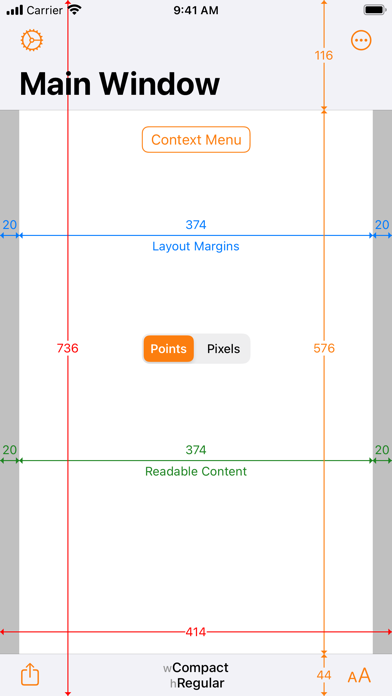
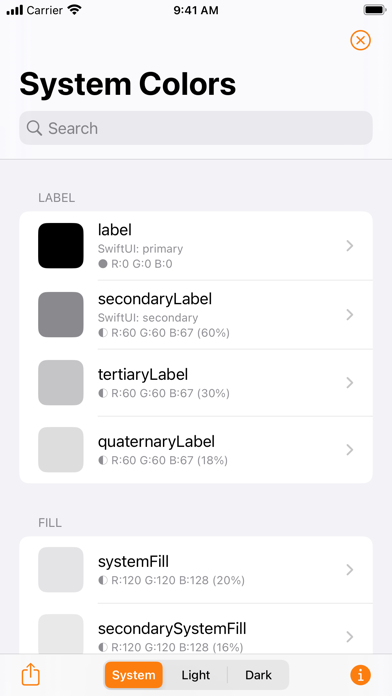
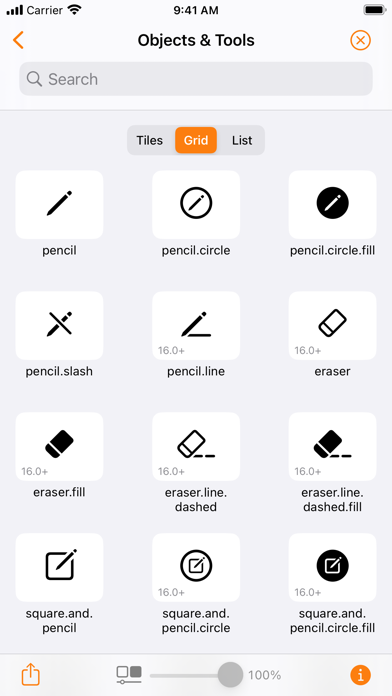
Adaptivity is an invaluable tool for developers and designers. Use it to visualize how Size Classes and margins for layout, readable content and the safe area look on real devices and how they change with respect to orientation, iPad multitasking and Dynamic Type size changes. A comprehensive System Images browser shows the different SF Symbols data sets across iOS versions with availability, localization and name change information. There are also views for visualizing Dynamic Type styles, System Colors, System Fonts and System Materials.
TESTIMONIALS
• “Adaptivity is not just highly recommended – it’s essential” — Paul Hudson, Hacking With Swift article “8 essential apps for iOS developers”, 30th March 2020.
• “It's a very, very good tool as a reference for both developers and designers” — Gui Rambo, Stacktrace podcast episode #77, 1st April 2020.
• “I'm not trying to spend your money, but to me this is a no-brainer” — Sean Allen YouTube video “Indie Dev Apps”, 12th April 2020.
MAIN FEATURES
• Visualize sizes for full view, layout margins, readable content guide and safe area layout guide.
• Sizes displayed in points or pixels.
• Regular or large navigation bar titles.
• Toggle status bar and navigation bar/toolbar/tab bar visibility.
• Activity View Controller support for sharing a snapshot image of each view.
• iPad multitasking and multiple window support (see note).
• Dark appearance support (requires iOS/iPadOS 13 or later).
• Setting to force right-to-left layout.
• Keyboard shortcuts.
• Keyboard navigation (requires iPadOS 15 or later).
• Handoff actions from Adaptivity (A), (B) or (C) on one device to Adaptivity (A) on another.
• External display support.
OTHER VIEWS
• Popover, Form/Page Sheet, Full Screen and Automatic modal presentations.
• Customise Sheet Presentations on iOS/iPadOS 15 or later.
• Tab Bar Controller.
• Table View Controller.
• Classic style Split View Controller.
• Double and triple column style Split View Controllers (requires iOS/iPadOS 14 or later).
• Keyboard Dodging and Custom Keyboard.
• Dynamic Type styles for the current Content Size Category.
• Explore Pointer Interactions (requires iPadOS 13.4 or later and a trackpad or mouse).
• Explore System Colors.
• Explore System Fonts.
• Explore System Images (requires iOS/iPadOS 13 or later).