Watch Faces by Facer

Watch Faces by Facer Summary
Watch Faces by Facer is a free, with in-app purchases iOS app in Lifestyle by Little Labs, Inc.. Released in Mar 2016 (10 years ago). It has 115K ratings with a 4.60★ (excellent) average. Based on AppGoblin estimates, it reaches roughly 239K monthly active users and generates around $<10K monthly revenue (100% IAP / 0% ads). Store last updated Oct 7, 2026
Recent activity: 131 new ratings this week View trends →
SDK intelligence: AppGoblin detected 6 development tools(e.g. Google), 3 ad networks, 1 analytics: attribution,and 1 analytics: product integrated into Watch Faces by Facer. View full SDK list →
Watch Faces by Facer SDKs Summary
Watch Faces by Facer was last scanned for SDKs on 2026-08-10. Below is the overview of third-party companies detected in the app. The full list of SDKs, permissions and unknowns is available here.
 Google
 Facebook
 One Signal
 Airbnb Engineering
 nanopb
 Alamofire
 AppsFlyer
 Firebase
4.6★
Ratings: 115K
Screenshots
App Description
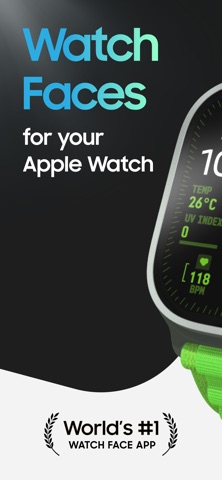
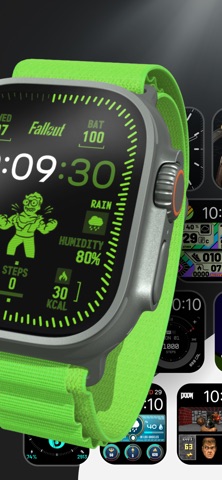
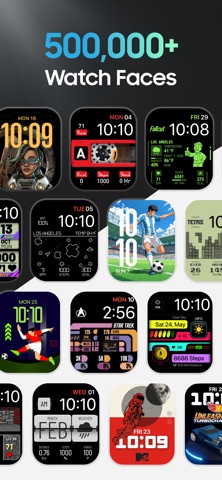
Explore 500,000+ Apple Watch faces with Facer, including thousands of free designs and officially licensed brands like Fallout, Star Trek, Tetris, Pac-Man, and more!
From classic analog styles and fitness dashboards to playful characters, pop culture favorites, and artistic designs, Facer helps you personalize your Apple Watch like never before.
Find the perfect watch face for every style, mood, and occasion — or create your own and share it with the world.
OFFICIAL WATCH FACES FROM ICONIC BRANDS
Discover officially licensed watch faces featuring:
Fallout • PAC-MAN • Tetris™ • Star Trek • Call of Duty • Ghostbusters • Street Fighter • Frida Kahlo • Popeye • Teenage Mutant Ninja Turtles • Hot Wheels • Dungeons & Dragons • The Smurfs • SpongeBob SquarePants • and many more.
New brands, artists, and collections are added regularly.
EXPLORE EVERY STYLE
• Analog Watch Faces
• Digital Watch Faces
• Hybrid Watch Faces
• Health & Fitness Watch Faces
• Data-Rich & Utility Watch Faces
• Entertainment Watch Faces
• Character & Pop Culture Watch Faces
• Artistic & Creative Watch Faces
• Sports Watch Faces
• World Time & Astronomy Watch Faces
• Seasonal & Event Watch Faces
• Luxury-Inspired Watch Faces
WHY MILLIONS CHOOSE FACER
• 500,000+ handcrafted watch faces
• The world's largest watch face collection
• Officially licensed brands and characters
• Thousands of free watch faces
• New watch faces added every day
• Watch faces created by real artists and designers
• Personalized watch faces for every style
• Premium watch faces and exclusive collections
• Multi-platform compatibility across Apple Watch, Wear OS, and more
• Easy watch face discovery, customization, and sharing
CREATE YOUR OWN WATCH FACES
Want something truly unique?
Use Facer Creator at facer.io/creator to design your own watch faces and share them with the world. No coding required.
Join a global community of creators and showcase your designs to millions of smartwatch users.
THE ULTIMATE APPLE WATCH CUSTOMIZATION APP
Facer makes it easy to:
• Customize your Apple Watch
• Personalize your smartwatch
• Discover new watch faces
• Find official branded watch faces
• Explore fitness, sports, artistic, and utility designs
• Create and share your own watch faces
• Express your style dir