intoLive - Live Wallpapers

intoLive - Live Wallpapers Summary
intoLive - Live Wallpapers is a free, ad-supported, with in-app purchases iOS app in Photo And Video by ImgBase, Inc.. Released in Dec 2015 (10 years ago). It has 584K ratings with a 4.67★ (excellent) average. Based on AppGoblin estimates, it reaches roughly 319K monthly active users and generates around $50K+ monthly revenue (45% IAP / 55% ads). Store last updated Sep 30, 2026
Recent activity: 170 new ratings this week View trends →
SDK intelligence: AppGoblin detected 4 ad networks(e.g. Google), 4 development tools, 1 analytics: product,and 1 business tools integrated into intoLive - Live Wallpapers. View full SDK list →
intoLive - Live Wallpapers SDKs Summary
intoLive - Live Wallpapers was last scanned for SDKs on 2026-10-09. Below is the overview of third-party companies detected in the app. The full list of SDKs, permissions and unknowns is available here.
 Google
 AdMob
AdMob Pangle
 Snap
Snap nanopb
 Alamofire
 SDWebImage
 Firebase
 Zendesk
4.67★
Ratings: 584K
Screenshots

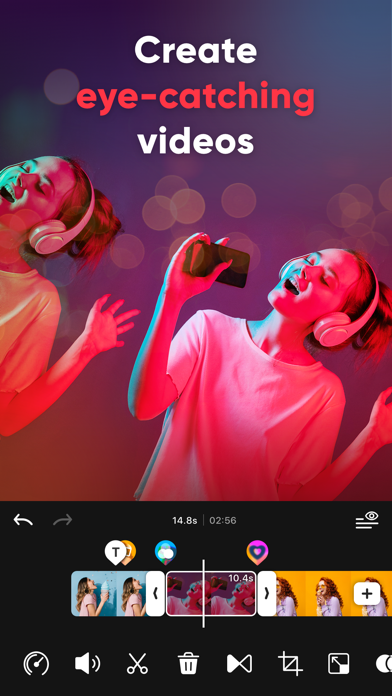


App Description
Easy-to-use Video Editor for Creators! Create extraordinary videos for TikTok, Reels, and Shorts easily while using your creative ideas.
Tired of editing on such a small screen? Create eye-catching Social Media videos using intoLive, optimized for creating vertical videos (9:16 aspect ratio).
intoLive offers various features for video editing ranging from basic to professional.
Video Editor for Social Media
- Optimized Canvas Ratio for creating vertical Videos (9:16 aspect ratio)
- Various canvas formats optimized for Social Media (TikTok, Reels, and Shorts)
- Share directly to TikTok, Instagram, YouTube and other social media
Easy VIDEO EDITING
- Video editor for iPhone
- Optimized editor to merge multiple video clips
- Combine photos, videos, Live Photo, and GIFs
- Compatible with every media format available on iPhone
- Auto-save videos as drafts and resume editing anytime
- Unlimited Un-do & Re-do functions
Add Effects, TEXT and STICKERS with a few taps
- 50+ different effects
- 100+ text styles
- 35+ different text animations
- Downloadable various Fonts
- Fun animated stickers and emojis
- GIPHY stickers for decorating videos
Background MUSIC to jazz up videos
- 100+ different special royalty-free soundtracks
- Add music from your iTunes Library or upload your own music file
- Volume control and mute for the original video
- Fade in and out background music
- Extract audio from your video
Detailed editing for each clip
- Trim, split, copy and remove clips
- Crop, rotate, and flip videos
- Adjust speed for fast or slow motion
- Make an awesome slideshow with Clip Motion(Ken Burns effect)
- Various frame designs, edit your video even more professionally
Various Color Adjustments
- Apply artistic filters for cinematic effects
- Adjust brightness, contrast, saturation, warmth, and sharpness for color correction
Make smooth TRANSITIONS
- Add transitions easily
- 35 different video transitions
- Add color backgrounds between clips
SAVE and SHARE video quickly
- Save video in SD, HD, FHD or 4K quality (Depending on the device model, 4K may not be supported.)
- Save video at 24, 30 or 60 FPS (Frames Per Second)
- Customize live wallpapers using the live Photo
With the intoLive subscription, you can have unlimited access to all features of intoLive.
- Subscriptions are billed weekly, monthly, or annually depending on the subscription plan selected.
-