Memo Notepad HD

Memo Notepad HD Summary
Memo Notepad HD is a with in-app purchases iOS app in Productivity by Adylitica, Inc.. Released in Dec 2015 (10 years ago). It has 6.00 ratings with a 3.67★ (average) average. Based on AppGoblin estimates, it reaches roughly 19 monthly active users and generates around $<10K monthly revenue (100% IAP / 0% ads). Store metadata: updated Oct 12, 2019.
Store info: Last updated on App Store on Oct 12, 2019 .
3.67★
Ratings: 6.00
Screenshots


App Description
The simple and easy place for your quick thoughts
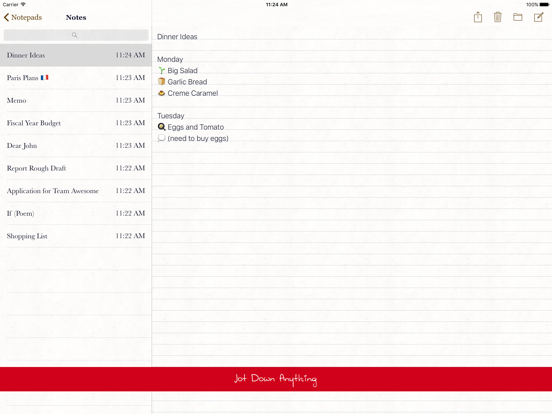
Memo Notepad provides you with a totally simple way to take notes on your iPad. Saving, cloud syncing all happens in the background. Just focus and write down what you are thinking super quickly and easily.
Memo is a perfect place for your thoughts, email drafts, journals, lists, or study and meeting notes.
Beyond the simplicity of standard note taking, Memo gives you the power to organize your notes into individual notepads or to set reminders if you want to come back to a note later.
If you want to share your notes with your friends, you can easily send them a copy over email. You can even add a contact from your Address Book to a note to let them view and edit a note. Sharing a lot of notes? You can share an entire notebook of notes, even discuss your notes with the integrated messaging support.
Everything in Memo is usable offline, all your notes are always accessible, you'll never be bothered about your connectivity. Even sharing will still work offline, when you are online later Memo will sync your changes to your contacts.
You can use Memo Notepad offline or online, all your notes made offline will sync when you get back online. You can access all your notes offline. You can search through your notes, and it will find what you are looking for instantly as you type.
Features:
- Organize your thoughts with multiple notepads
- Share and collaborate on notes with family, friends or coworkers
- Super fast sync - encrypted and securely backed up in the cloud
- Personalize with various font options in Writing Styles
- Designed to allow 100% offline use. Never wait for "syncing"
- Mark notes to be reminded later
- Integrated messenger for shared notepads
Tips:
- If you delete a note by accident, shake to undo
- If you forget your cloud sync password, try guessing a password to reveal the 'forgot password' button, it will email you a reset link
Other Apps:
- You can use your same sync account with our other apps: Do it (Tomorrow), Everyday Notes
Premium Cloud Sync Subscription Service:
- Sync with Dropbox and Google Drive as well as other bonus features is available on a subscription basis of $0.99/month or $4.99/year. (subscription uses iTunes Account at purchase, final price depends on country)
- To cancel or select not to auto-renew a subscription, go to Account Settings after purchase. Subscriptio