Tracing Projector
Tracing Projector Summary
Tracing Projector is a with in-app purchases iOS app in Education by Photility. Released in Sep 2016 (9 years ago). It has 2.6K ratings with a 3.78★ (average) average. Based on AppGoblin estimates, it reaches roughly 3.1K monthly active users and generates around $<10K monthly revenue (100% IAP / 0% ads). Store metadata: updated Oct 22, 2021, version 1.3.9.
Recent activity: 7.00 new ratings this week View trends →
Data tracking: SDKs and third-party integrations were last analyzed on May 11, 2026.
Store info: Last updated on App Store on Oct 22, 2021 (version 1.3.9).
3.78★
Ratings: 2.6K
Screenshots


App Description
Tracing Projector is your personal portable drawing and composition tool.
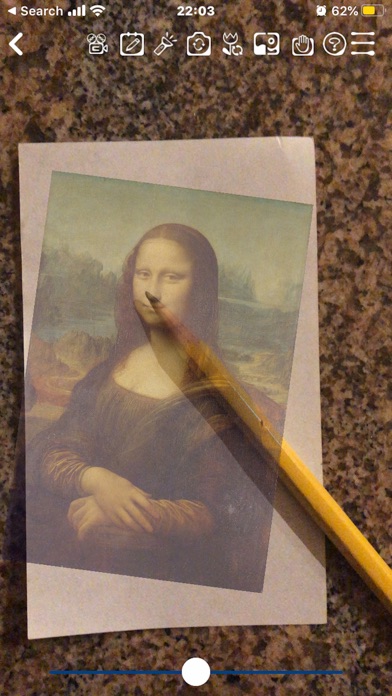
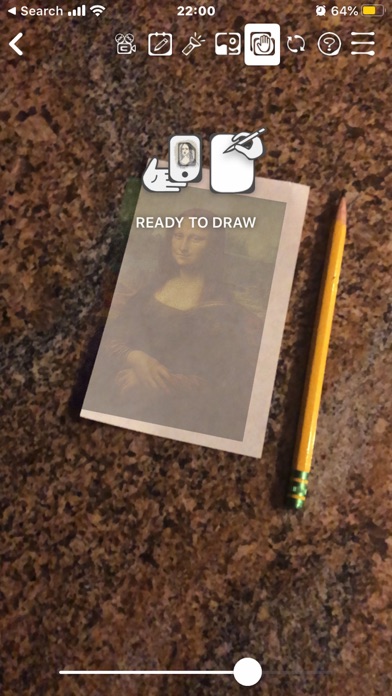
Having Tracing Projector is like always having a sheet of tracing paper with you! Choose any image you'd like to draw, take a photo, or choose from hundreds of images supplied in the app; then look at your screen while you trace the image on paper!
- Learn to Draw! Learn proportions and important lines by tracing photos of anything! Use several filters to enhance your photo, making it easier to trace.
- Make real one-of-a-kind artwork you can hang on your wall! Send unique greetings on social media! Friends and family will love to see your animated drawings!
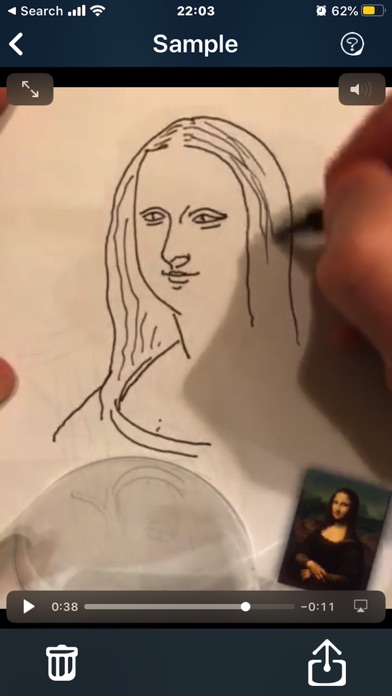
- Show off your skills! Record a video while you draw and share it on your favorite social network. Your friends will be amazed! Choose from time-lapse and regular speeds, and include a narrative if you want to.
- Great for face painting or artistic makeup!
- Great for school projects! Need to draw an image from a book on a poster? Trace it!
- Kick-start your painting or portrait! Transfer your idea from a photo to your drawing canvas to get the proportions right.
- Match the Composition! Transfer your plan from a sketch to the scrapbook page or photo wall!
- Challenge yourself to sketch the essence of the image before the timer runs out! Focus on composition and structure. Freehand the fine details afterward, or disable Quick Sketch and trace them directly. (Disabling requires a one-time purchase.)
Several tools make it really easy to trace your image:
- Light Table - lock your screen, turn up the brightness, and trace the image from your screen directly!
- Handheld Mode -- On supported devices, Augmented Reality keeps your tracing image steady while you hold your device at a comfortable angle. (demo video https://youtu.be/YJeK5Sjdi1Q). Requires iOS 11.3 or later on iPhone 6s/6s Plus or iPad Pro and later. Works best on stable horizontal and vertical surfaces with good light and some visible surface detail.
- Lock the camera focus to keep the image steady while you trace.
- Lock the canvas area to keep your layout and alignment while you zoom in to get a close look at your work in progress.
- Several Filter modes enhance your image, increasing contrast to give you a better result.
- Use the flashlight to light up your drawing. (requires Full Version)
- Use the selfie camera and draw on your face. (requires Full