Voban

Voban Summary
Voban is a mobile iOS app in Business by Vojvodjanska banka a.d. Novi Sad. Released in Jan 2016 (10 years ago). It has 12 ratings with a 1.83★ (poor) average. Based on AppGoblin estimates, it reaches roughly 32 monthly active users . Store metadata: updated Oct 15, 2020.
Store info: Last updated on App Store on Oct 15, 2020 .
1.83★
Ratings: 12
Screenshots

App Description
Use the services of Vojvođanska Bank any time and any place, regardless of bank work hours and with minimum costs!
Now you can also use your mobile phone for:
• overview of all current, deposit and credit accounts as well as payment cards,
• overview of account turnover and other details related to all accounts and payment cards,
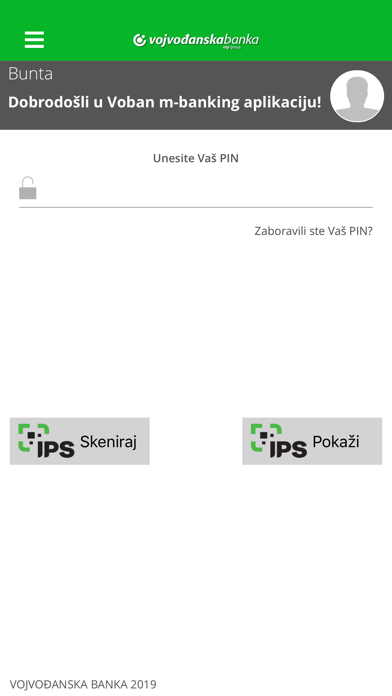
• IPS QR code for point of sale payment (IPS Scan/IPS show),
• internal transfers in RSD and FX,
• external payments from RSD current accounts,
• overview of executed transfers and payments,
• exchange rate overview,
• FX purchase/sale,
• creating transfer or payment order templates,
• contacting the Bank related to particular products,
• using informational credit and deposit calculators,
• using the OTP Bank branch/basic branch and ATM locator,
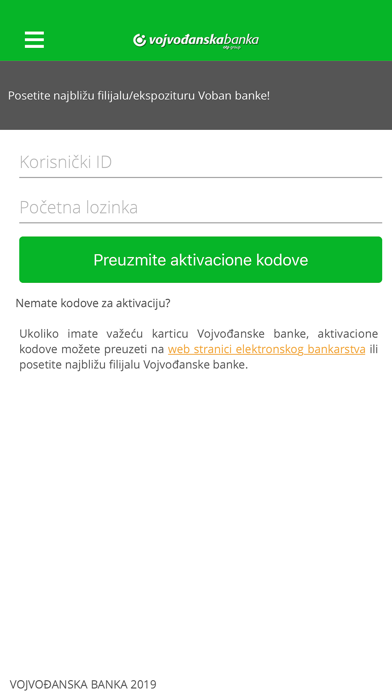
How to become a user of this Vojvođanska Bank service?
Very simple. If you have a valid card of Vojvodjanska banka, you can get the activation codes on eBanking web page. You can also get the activation codes in the nearest branch of Vojvođanska banka.
Advantages of the new version of the Vojvođanska Bank mobile banking!
Vojvođanska Bank has developed a new, improved version of the m-banking iOS application which, besides the existing functionalities that have also been improved, also contains the new ones, it has a modern design and a simple user interface.
You can check and control your finances via mobile phone with Internet access (LAN or WiFi) anywhere, day or night!
-----------------------------------------
Koristite usluge Vojvođanske banke u svakom momentu i na svakom mestu, bez obzira na radno vreme i uz minimalne troškove!
Svoj mobilni telefon sada možete koristiti i za:
• uvid u sve tekuće, depozitne i kreditne račune kao i platne kartice,
• pregled prometa i drugih detalja po svim računima i platnim karticama,
• IPS QR kod na prodajnom mestu (IPS Skeniraj/IPS Pokaži),
• interne prenose u RSD i stranim valutama,
• eksterna plaćanja sa dinarskih tekućih računa,
• pregled izvršenih prenosa i plaćanja,
• pregled kursne liste,
• obavljanje kupovine/prodaje deviza,
• kreiranje šablona naloga za prenose ili plaćanja,
• kontaktiranje banke u vezi određenih proizvoda,
• korišćenje informativnih kalkulatora za kredite i depozite,
• korišćenje lokatora filijala/ekspozitura i bankomata Vojvođanske banke.
Ka