Live Home 3D Pro: House Design

Live Home 3D Pro: House Design Summary
Live Home 3D Pro: House Design is a with in-app purchases iOS app in Lifestyle by Belight Software, ltd. Released in Oct 2018 (7 years ago). It has 2.1K ratings with a 4.55★ (excellent) average. Based on AppGoblin estimates, it reaches roughly 4.2K monthly active users and generates around $<10K monthly revenue (100% IAP / 0% ads). Store last updated Sep 30, 2026
Recent activity: 1.00 new ratings this week View trends →
Live Home 3D Pro: House Design SDKs Summary
App not yet scanned for SDKs.
4.55★
Ratings: 2.1K
Screenshots


App Description
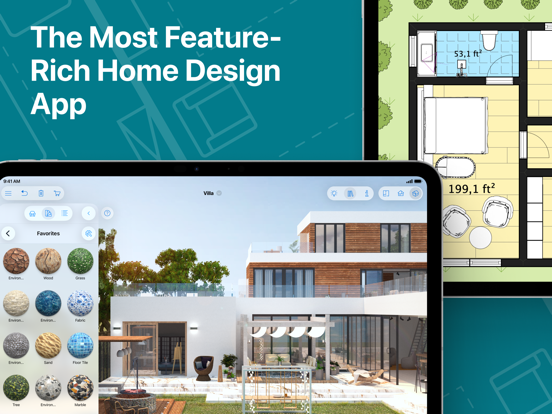
An outstanding home design app that can turn anyone into a designer. Create detailed floor plan layouts, 3D home design visualizations, plan a garden and work with the surrounding landscape—everything is possible with Live Home 3D Pro.
Floor Plans, Building and Terrain:
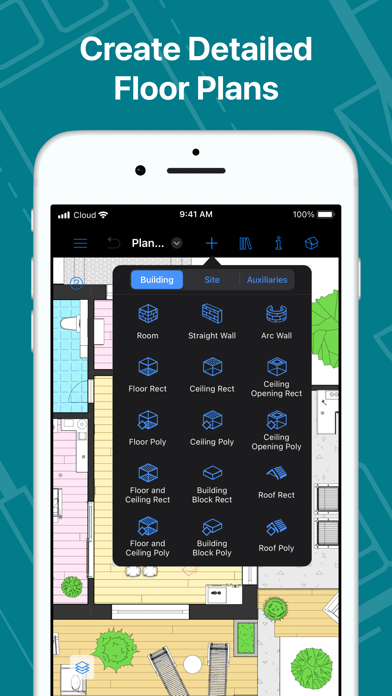
• Сreate detailed 2D floor plan layouts.
• View real-time dimensions for walls, ceilings and floors when drawing in the 2D Plan view.
• Get unlimited floor levels: you will be able to create multi-story buildings and even skyscrapers.
• Design from scratch or rely on ready-made house and interior design samples (e.g., kitchens, bathrooms, living rooms, etc).
• Work with terrain editing tools for landscape design: create elaborate terrain around your house, lay paths and driveways and plan out your garden or backyard.
• Choose from the ready-made roof templates (12 roofs and 16 dormers) or customize the roof by editing its segments to create roofs of any form and complexity.
• Work in 2D Elevation view that displays the side view on walls and roof, a perfect tool for working with openings, niches and wall panels.
• Scan your room or house using the Room Scanner feature based on LiDAR technology to recreate its digital copy (only for devices with LiDAR sensors built-in).
• Use a multi-purpose Building Block tool to create porches, custom columns, beams or even furniture.
• Bosch laser measure integration: take accurate measurements with a laser measure, and easily transfer and apply them to objects.
Objects and Materials:
• Add and move furniture and other objects (5,000+ items), and apply physically based materials (3,000+ supplied materials).
• Access thousands of free models that can be imported from the Trimble 3D Warehouse and Sketchfab.
• Import 3D models from other applications in most popular formats (COLLADA, FBX, OBJ, USDZ, 3DS, glTF / glb, etc.)
• Create sophisticated custom materials, and control their texture and light emissive properties using the Material Editor.
Lighting Settings:
• Work with natural lighting by setting up true geolocation, time of day and cloudiness.
• Adjust light fixtures throughout the house to achieve a realistic lighting scene.
• Create custom lamps or achieve the best lighting for your projects with Light Source Editor.
Viewing and Sharing Your Project:
• Walk through your 3D interior designs.
• Project