iLINQ

iLINQ Summary
iLINQ is a free iOS app in Education by Sheldon College. Released in Oct 2016 (9 years ago). It has 7.00 ratings with a 4.57★ (excellent) average. Based on AppGoblin estimates, it reaches roughly 9.00 monthly active users . Store last updated Dec 15, 2024
iLINQ SDKs Summary
App not yet scanned for SDKs.
4.57★
Ratings: 7.00
Screenshots


App Description
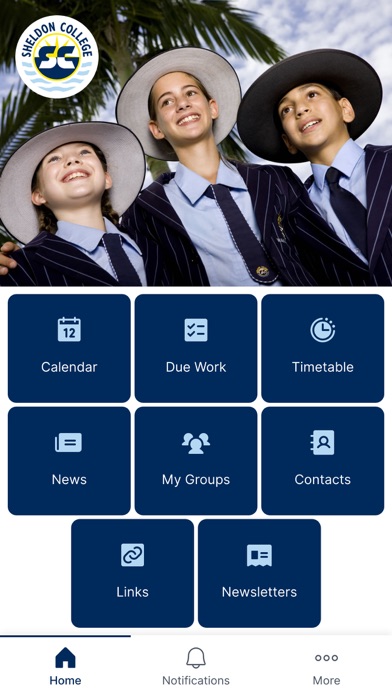
The iLINQ App is designed to give parents, students and teachers a seamless environment with ready access to information about events and activities at the College, as well as key contact details and maps. The App provides an easy way to access personalised content and communication from the College’s online environment, iLINQ.
NOW FEATURING ‘REMEMBER ME’ FUNCTIONALITY FOR EVEN QUICKER ACCESS.
Key Features:
‘Remember Me’ Functionality (New):
Selecting the ‘Remember Me’ option on the log-in screen will save your details and allow you to remain signed into the iLINQ app on your personal device*.
*For security reasons, we strongly recommend that you only select ‘Remember Me’ on a personal device which already implements other forms of security control such as a password log-in or fingerprint access controls. For further information regarding device security and the iLINQ App, please refer to the designated help section in iLINQ.
My Groups (New):
This new feature allows quick access to your iLINQ groups from the app menu including Parent and Student Communication pages and other individual groups of which you are a member.
The Dashboard:
The App dashboard provides an overview of the latest College News, timetables for staff and students and a timeline view of the day’s events.
Messages and Push Notifications:
The messages section provides a list of notifications of activity within iLINQ. As content is created in groups of which you are a member, you will receive a notification that will allow you to click through to the relevant page. Notifications are configurable and users can choose to customise the notifications that are sent from within iLINQ.
College News:
The News section contains daily communication from the College. By configuring the notification settings, you can receive the information at a time that is convenient to you.
Calendar:
The Calendar contains details on events and key dates at the College. Click on the event to see further details and information or search for an event. The calendar can also be used as an eDiary with staff and students having the ability to add additional events and reminders.
Due Work:
Parents, students and staff will see a reminder in the iLINQ App of any due work and its relevant date within iLINQ. By clicking on the due work, students and staff will be able to access additional due