Automatic Time Clock

Automatic Time Clock Summary
Automatic Time Clock is a free, with in-app purchases iOS app in Business by Tobias Zimmermann. Released in Feb 2016 (10 years ago). It has 33K ratings with a 4.66★ (excellent) average. Based on AppGoblin estimates, it reaches roughly 154K monthly active users and generates around $<10K monthly revenue (100% IAP / 0% ads). Store last updated Oct 29, 2026
Automatic Time Clock SDKs Summary
Automatic Time Clock was last scanned for SDKs on 2026-09-16. No known SDKs were detected. Check the raw list of SDK parts detected here and feel free to request unknown SDKs be added to AppGoblin.
4.66★
Ratings: 33K
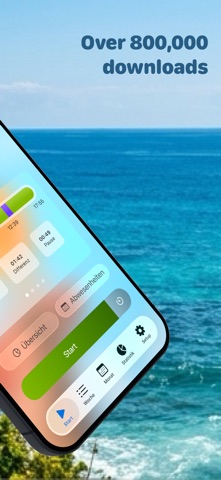
Screenshots



App Description
+++ The app stores data exclusively on your device +++
StempelUhr is your simple and reliable time tracking app—perfect for keeping an eye on work hours, overtime, and breaks. Whether you manage flex time, time off in lieu, or flexible schedules, StempelUhr gives you control.
Your privacy is our top priority: All data stays on your device.
Free version features:
• Absences (vacation/sick days)
• Reminders when daily or weekly goals are reached
• Automatic tracking via geolocation (supports multiple locations)
• Automatic breaks
• Advanced Siri Shortcuts
• Manual time entry
• Apple Watch support—see your work hours right on your watch face
• Widgets
• Backup via JSON
Upgrade to Pro for even more:
• Manage multiple jobs, each with its own schedule, settings, exports, and stats
• Vacation planner: Find the best bridge days for your remaining days off and add them to absences
• Rate perceived effort per timer block or day using the Borg CR10 scale
• Location-based notifications that trigger only with the right active timer
• Automatic holiday import (across Europe)
• Full yearly overview of your work hours
• Work with tags for better organization
• Customize your own work time models
• Set custom time rounding rules
• Overtime account with precise tracking
• Calendar sync
• Export detailed reports as PDF, Excel, or CSV
• Half-day vacations and quota deductions
• Custom backgrounds and theme options
• See average work and break times in statistics
• Millisecond-accurate time tracking (exportable)
• Set your own maximum work hours with notifications if exceeded
• Start and stop timers right from your device’s control center
• Improved search for times, locations, and tags—ideal for power users
• Auto-fill preferred locations and tags for new entries
• And many more details for the best user experience
Terms of Use: https://www.apple.com/legal/internet-services/itunes/dev/stdeula/