SNB eCorp

SNB eCorp Summary
SNB eCorp is a free iOS app in Finance by The Saudi National Bank. Released in Jun 2018 (8 years ago). It has 23K ratings with a 4.57★ (excellent) average. Based on AppGoblin estimates, it reaches roughly 193K monthly active users . Store last updated Sep 17, 2026
Recent activity: 15 new ratings this week View trends →
SNB eCorp SDKs Summary
SNB eCorp was last scanned for SDKs on 2026-09-13. No known SDKs were detected. Check the raw list of SDK parts detected here and feel free to request unknown SDKs be added to AppGoblin.
4.57★
Ratings: 23K
Screenshots




App Description
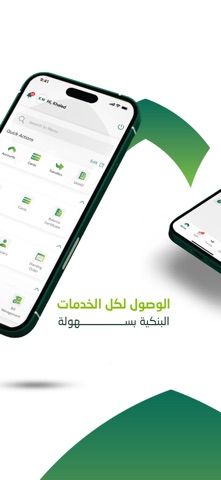
The award-winning SNB eCorp app from the Saudi National Bank for corporates and establishments represents a seamless touch point around the clock for our clients anytime anywhere to facilitate conducting business transaction digitally and meet their needs through a range of specialized banking solutions that help them cope up with the accelerated developments in the business sector.
The most important SNB eCorp app features include:
• Remittances
• SADAD Bill & SADAD Government Payments
• Update National Address
• Update ID Expiry date
• Account Balances & Statements
• Approve transactions
• Apply for Letter of Guarantees (100% Cash)
• Corporate Card Management (Inquiry, Show PIN, and Card Payments)
• Aramco Payments
• Beneficiary Management (Adding or Deleting)
• ESAL Bill Payment
• SADAD Bill Payment Management and Inquiry
• Issue Mada Card and request to print it via Self Service Kiosk
* As per the terms and conditions of the product for the target groups via SNB eCorp Channels
To Register in the service, please follow the below steps from the app’s home page:
• Click "New user Registration"
• Enter Account number or Commercial Register/Unified National No.
• Enter Mada card number and PIN