NDICam

NDICam Summary
NDICam is a mobile iOS app in Photo And Video by Mark Gilbert. Released in Mar 2016 (10 years ago). It has 17 ratings with a 3.88★ (average) average. Based on AppGoblin estimates, it reaches roughly 7.00 monthly active users . Store last updated Sep 18, 2024
NDICam SDKs Summary
App not yet scanned for SDKs.
3.88★
Ratings: 17
Screenshots
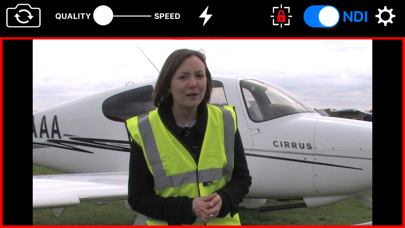
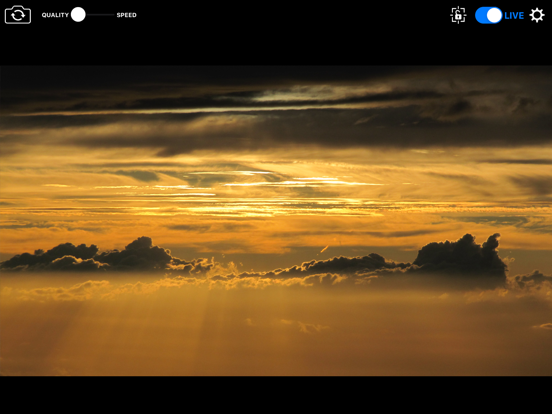
App Description
* Special Offer Price *
NDICam is the original NDI iOS camera built by the world's leading NDI broadcast infrastructure developers - Sienna.
Mature and feature rich, uniquely with both Full NDI and NDI HX3 modes.
The NDI (Network Device Interface) protocol connects to professional vision mixers and other devices, and delivers a high quality, low latency connection. NDICam is compatible with All TriCasters, VMix, Wirecast and hundreds of other professional IP video systems, software and hardware, which support NDI.
- Simple to use - nothing to configure on your iOS device
- Switch between front and rear cameras during broadcast
- Auto Focus, AF Lock and Tap to Focus
- Auto Exposure, AE Lock and Tap to Expose
- Illumination light on/off
- Audio Mute Control
- Manual Naming of NDI Stream source
- 4 quality / performance levels to suit your device and network, plus NDI HX Option
- Pinch to zoom (where zoom is supported)
- Auto-lens mode for multi-lens cameras
- On screen live / preview tally plus optional use of camera flash as talent tally (with red gel cover).
- Option to prevent iOS device sleep
- Select 25FPS or 29.97FPS standard rate.
- Choice of Full NDI or NDI HX3 compression modes (HX2 at 2 to 20 mBit, plus HX3 Ultra)
- Rotation support for Portrait or Landscape Video Modes.
Front and Rear cameras can be selected at the touch of a button and NDICam features a 4 position quality vs frame rate slider to deliver optimum video suited to the quality of your wifi connection and your iPhone's processing performance. Depending on your iOS device, compression mode selected and Wifi network performance NDICam supports up to 1080 full HD resolution.
Control of flashlight, touch to focus, focus lock, pinch to zoom and audio enable are also included. You can even use the phone's torch as a Tally Light, by covering it with a red gel.
Note: Depending on the performance of your iOS device and your WIFI network, you may not see full frame rates when operating at maximum 1080 resolution with a full HD camera. Using HX3 mode will help if the bottleneck is your WIFI network.
Note: NDI is a high bandwidth protocol designed for local area Gigabit networks. In order to see good results you will need a fast, uncontested wifi connection. If you see slow frame rates, try improving the wifi environment, with a better router, less interference, directional antenna or may