SlingStudio Console

SlingStudio Console Summary
SlingStudio Console is a mobile iOS app in Photo And Video by Sling Media. Released in May 2017 (9 years ago). It has 1.7K ratings with a 4.67★ (excellent) average. Based on AppGoblin estimates, it reaches roughly 858 monthly active users . Store metadata: updated Aug 25, 2022.
Recent activity: -1 new ratings this week View trends →
Store info: Last updated on App Store on Aug 25, 2022 .
4.67★
Ratings: 1.7K
Screenshots

App Description
WHEN ONE CAMERA ANGLE ISN’T ENOUGH, SLINGSTUDIO DELIVERS MULTI-CAMERA MAGIC IN MINUTES for a variety of video applications – sports, schools, houses of worship, distance learning, corporate events, weddings, video blogging, broadcast TV, etc. There are all kinds of possibilities. What will you discover?
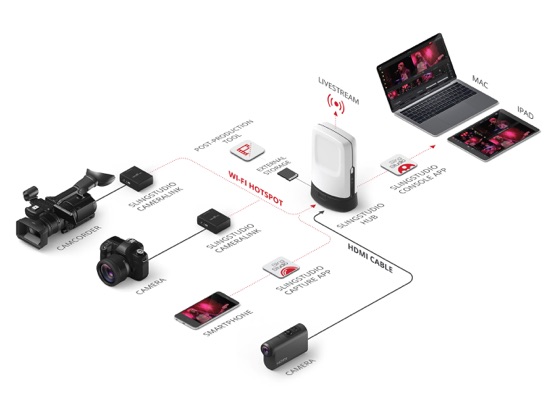
When used with SlingStudio hardware, the SlingStudio Console app puts the power of multi-camera right in your hands, allowing you to easily manage your entire wireless SlingStudio production with a supported iPad.
*SlingStudio hardware required.*
*NOTE: SlingStudio is designed for use only in the United States and Canada; performance is not guaranteed in other countries.*
The wireless, battery-powered SlingStudio makes it easy to connect cameras and smartphones to live-broadcast your professional multi-camera productions to Facebook, YouTube, Vimeo, Twitch, Twitter/Periscope, Livestream, Ustream, Restream.io and other RTMP destinations:
• Connect up to 10 video sources and, with no cables or external power source, you can be on location anywhere – at the beach, on the slopes, in the football stadium – anywhere you can carry a backpack.
• Your video sources can be your iPhone, iPod, smartphones or super-expensive professional-grade camera. You can even use your laptop.
• All video is in gorgeous 1080p HD resolution.
• With zero wires to wrangle and camera distances of up to 300 feet, your setup and teardown is a breeze.
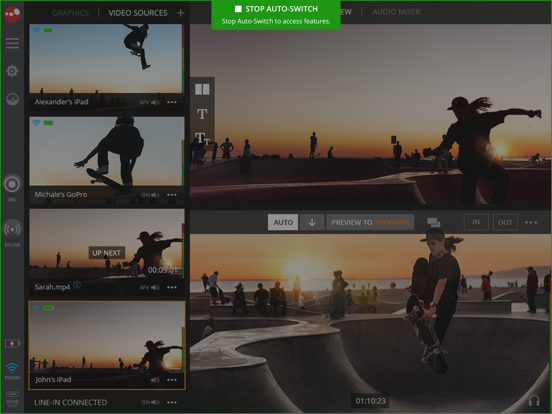
• Switch camera angles as you please, add text and graphic overlays, compose picture-in-picture, and mix in external audio from a microphone.
• Hands-free operation when auto-switching using custom time intervals or voice-activated switching.
• Choose from a variety of transitions like cut, dissolve, wipe, fade to/from black with programmable durations
• Import, insert, adjust and overlay your own JPG and PNG graphics and motion graphics – including logos, watermarks, lower-third titles, profile pics, ads and background images – on your live program feed.
• Use prerecorded video as a source for pre-roll, post-roll, ads, bumpers, etc. by importing MP4 and MOV files from supported SD cards and USB drives.
• Instant replay of program video up to one minute in length at normal or slower speeds.
• Review multi-camera video footage from last ten minutes for coaching and referee scenarios.
• Create custom scor