TextingStory Chat Story Maker

TextingStory Chat Story Maker Summary
TextingStory Chat Story Maker is a free, with in-app purchases iOS app in Entertainment by Yvz Digital Lab. Released in Feb 2016 (10 years ago). It has 123K ratings with a 4.60★ (excellent) average. Based on AppGoblin estimates, it reaches roughly 251K monthly active users and generates around $<10K monthly revenue (100% IAP / 0% ads). Store last updated Oct 5, 2026
Recent activity: 26 new ratings this week View trends →
SDK intelligence: AppGoblin detected 2 ad networks(e.g. Facebook), 2 development tools, 1 analytics: product,and 1 business tools integrated into TextingStory Chat Story Maker. View full SDK list →
TextingStory Chat Story Maker SDKs Summary
TextingStory Chat Story Maker was last scanned for SDKs on 2026-08-09. Below is the overview of third-party companies detected in the app. The full list of SDKs, permissions and unknowns is available here.
 Facebook
 Snap Inc.
 Firebase
 RevenueCat
 Alamofire
 OpenID
4.6★
Ratings: 123K
Screenshots
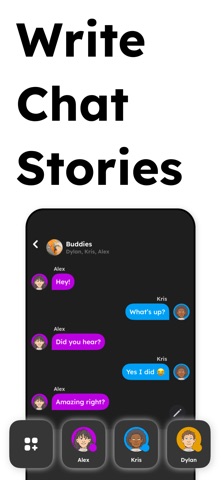

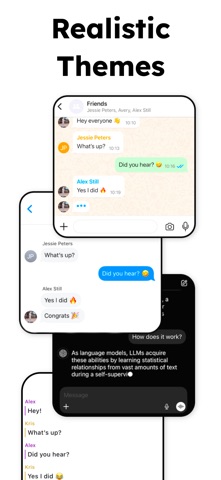

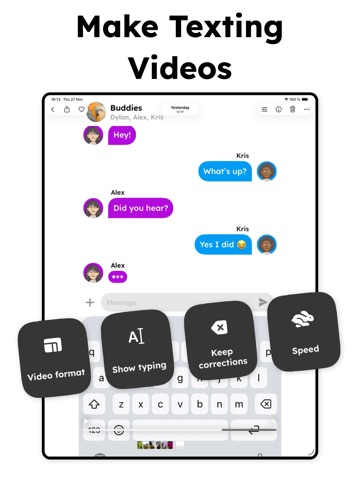

App Description
Join 20 million happy users and unleash your creativity!
1. Write a text conversation in TextingStory
2. Create a video with your story
3. Watch it and share it
TextingStory allows you to write conversations like any messaging app, except you can switch sides by swiping left or right over the message area. You can also press the characters' names.
Take all the time you need to write your conversations. The videos are automatically accelerated for a consistently fast-paced result!
Every keystroke is recorded, so feel free to play with corrections, hesitations, or misspellings!
This is a simple app with endless possibilities.
TextingStory pioneered a new video format in 2016 and has become wildly successful on various social media, with some users getting tens of millions of views of their videos. It has its own Know Your Meme entry and T-Mobile even reproduced it in a 2019 Superbowl ad.
TextingStory is also a popular educational app for spicing up course material or hands-on activities with students.
Get it now!
********** Frequently Asked Questions **********
If your question is not here or the answer doesn't help => iphone@yvz.fr
Q: How do I change the character's names?
A: To access their settings, make a long-press on any character in the character list.
Q: How do I change the message side?
A: Swipe over the messages area. Or tap the + or camera button, then tap "Change writing side". You can also change the side of any message in edit mode. Tap the pencil button to enter edit mode when you're not writing a message.
Q: How do I add pictures or GIFs to the stories
A: You need to purchase the Storyteller or Pro upgrade. Any purchase unlocks character pictures and the ability to send pictures or GIFs.
Q: I don't see the typing area in the videos. Why is that?
A: Check if "Show typing" is ON in the video settings.
Privacy policy: https://yvz.fr/privacy/
Terms of use: https://www.iubenda.com/terms-and-conditions/75084159