Plume Home

Plume Home Summary
Plume Home is a free iOS app in Tools by Plume Design, Inc.. Released in Dec 2016 (9 years ago). It has 15K ratings with a 4.56★ (excellent) average. Based on AppGoblin estimates, it reaches roughly 48K monthly active users . Store last updated Sep 21, 2026
Recent activity: 31 new ratings this week View trends →
SDK intelligence: AppGoblin detected 4 development tools(e.g. Google), 3 analytics: product, 2 business tools, 1 ad networks,and 1 analytics: attribution integrated into Plume Home. View full SDK list →
Plume Home SDKs Summary
Plume Home was last scanned for SDKs on 2026-10-21. Below is the overview of third-party companies detected in the app. The full list of SDKs, permissions and unknowns is available here.
 Google
 Airbnb Engineering
 nanopb
 SDWebImage
 Branch
 Firebase
 Braze
Braze Mixpanel
 PubNub
 Okta
Okta4.56★
Ratings: 15K
Screenshots
App Description
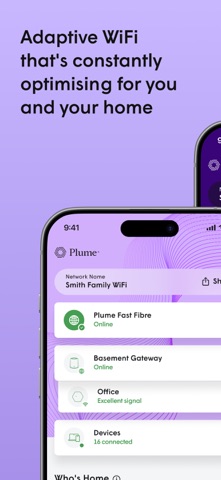
The Plume Home app brings together WiFi intelligence, security and easy management of your network and household to enhance your connectivity experience. Unlike other mesh WiFi systems, Plume automatically fine-tunes your network for peak performance—blocking interference, allocating bandwidth appropriately to all your connected devices, and prioritizing speed to live apps like video conferencing and streaming. All managed through a single mobile app.
- Simple setup
In a matter of minutes you will be able to add all your connected devices and ensure extenders are properly placed around the home for optimal coverage.
- Profiles and groups
Create user profiles for each member of the household to assign devices to them or even assign devices to groups like ‘light bulbs’ or ‘living room’ to easily manage them. Use profiles and device groups to set security policies, schedule Focus time, apply internet Timeouts, and optimize bandwidth with Traffic Boosts—giving you better control over online time and network performance.
- Traffic Boost
Prioritize your network how you want to. Choose to make sure specific applications, profiles, devices, or whole app categories are first in line for bandwidth. Feel confident that your video meeting, live TV stream, or gaming session has what it needs. Want Plume to handle it? Plume Home’s default Automatic Mode will prioritize any live traffic that needs it.
- Home security
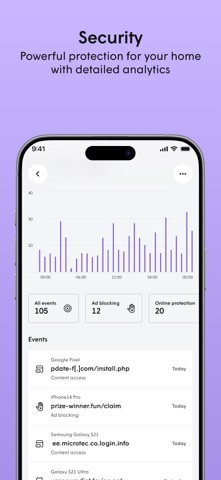
Protect your devices from cyber threats like malware and phishing. No one home? Prioritize the network for security devices and applications like smart locks and cameras, and get instant alerts for any unusual activity. Use Motion to detect any movement when the home should be empty.
- Parental controls
Set predefined access profiles for kids, teens, or adults to automatically filter restricted content. Schedule Focus time to pause connectivity for specific profiles, devices, app categories, or the entire network. Need a quick break? Instantly restrict internet access from the home dashboard with a Timeout. Want to see where your bandwidth is going? See detailed usage graphs for all profiles and devices down to individual apps.