Pocket Marble Runs

Pocket Marble Runs Summary
Pocket Marble Runs is a free, ad-supported, with in-app purchases iOS app in Simulation by monois Inc.. Released in Mar 2016 (10 years ago). It has 41K ratings with a 4.50★ (excellent) average. Based on AppGoblin estimates, it reaches roughly 36K monthly active users and generates around $<10K monthly revenue (31% IAP / 69% ads). Store last updated Aug 28, 2026
Recent activity: 3.00 new ratings this week View trends →
SDK intelligence: AppGoblin detected 1 ad networks(e.g. Google),and 1 development tools integrated into Pocket Marble Runs. View full SDK list →
Pocket Marble Runs SDKs Summary
Pocket Marble Runs was last scanned for SDKs on 2026-09-25. Below is the overview of third-party companies detected in the app. The full list of SDKs, permissions and unknowns is available here.
 Google
 Unity
Unity4.5★
Ratings: 41K
Screenshots





App Description
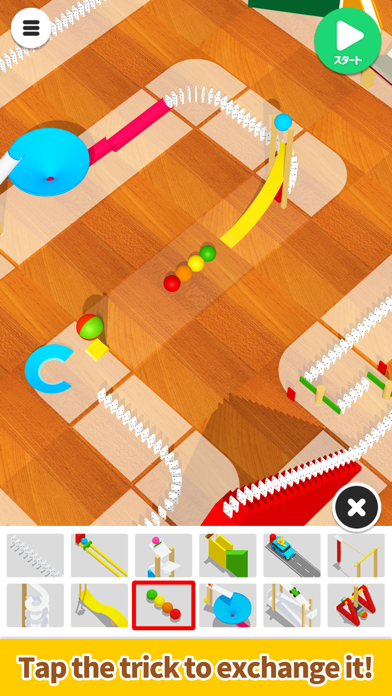
Simply trace the screen to create a Marble Runs!
An easy-to-use app designed for everyone – it allows them to create fun devices similar to those featured on Marble Runs (Chain reaction machine).
Use a dragging motion to draw a line and create a simple device that follows that path, and then try changing the device afterward!
The longer the straight line, the more devices you can choose from.
Have fun making your device move in many different ways!
We plan to add many more devices in the future!
*Method of operation:
- Trace the screen with your finger to create a path.
- Lift your finger to create a simple device.
- Tap the device to swap it for another one.
- Press the Start button to start. Have fun by changing the angle and the zoom on the camera.
- Sound effects: turn them on/off from the options on the top right of the top screen.
- Music: turn it on/off from the options on the top right of the top screen.
- Device shadows: turn them on/off from the options on the top right of the top screen.
*If your smartphone is showing low performance, we recommend turning the shadows off.