CardTalking

CardTalking Summary
CardTalking is a free iOS app in Education by 章晟 潘. Released in Sep 2016 (10 years ago). It has 36 ratings with a 4.17★ (good) average. Based on AppGoblin estimates, it reaches roughly 48 monthly active users . Store last updated Apr 20, 2021
CardTalking SDKs Summary
App not yet scanned for SDKs.
4.17★
Ratings: 36
Screenshots


App Description
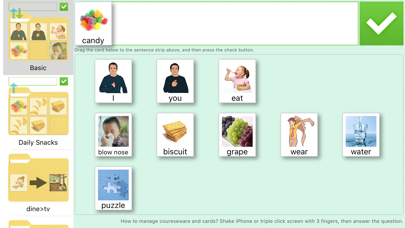
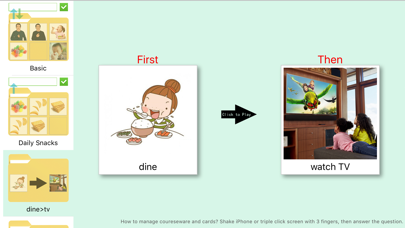
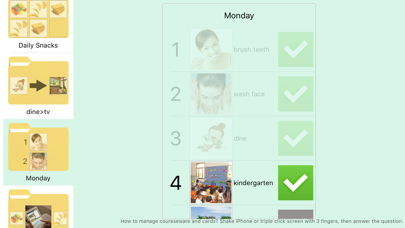
CardTalking(former name is Blossoming) is a visual support tool for autism children, include First-Then Board, Visual Schedule, Visual Instruction, Reinforcer Choice Board and PECS Board. Parents or teachers can design special courseware to support or train child based on theire own requirement. There are lots of cards and courseware examples built in the App. And users can expand them unlimitedly. User can share cards after simple register/login. More functions and user guide as below:
1. This App is only support iPad/iPhone. Author have no play to develop version for other platforms.
2. First page is for child. Only courseware in use will be listed.
3. Parents or teacher can enter settings by shake iPhone/iPad, or triple clicking the screen with 3 fingers. Before the settings, one simple question is needed to prevent child to use it by mistake.
4. Materials are orignal version for all cards. Courseware is for sepcial trainning purpose. And the cards in courseware are from materials.
5. There are 5 kinds of coureseware: PECS Board, First-Then Board, Visual Schedule, Visual Instruction and Reinforcer Choice Board.
1) PECS Board is for language training. Child's operation is draging (or pressing, depends on the settings) the card needed to the sentence strip above, and then clicking the check button in top-right. Please read PECS introduction in the end of this page before you use it to train child.
2) First-Then Board to tell child 'xxx firstly, then xxx'. eg: wash hands firstly, then have lunch.
3) Visual Schedule defines the schedules of one day, or steps of some action. eg: steps of washing hands. a) Open the tap; b) Make hands wet...
4) Visual Instruction shows one card and one command to child.
5) Reinforcer Choice Board let child to choose one reinforcer as award in DTT.
6. The times can be used for card in PECS is settable. 'No Limit' means the card will back to box after check button clicked. But cards in 'Daily' can be used only one time everyday. 'Daily' is used to control the quantity of snacks or games child wants.
7. Parents or teachers can set operation mode for PECS courseware . There are two options, 'Drag' and 'Press'. if 'Drag', child need to drag the card to sentence strip. if 'Press', child only need to press the card, and it will fly to sentence strip automatically.
8. The layout of some coursewares is customizable. It ca