Private web browser Free - passcode & multi tabs & full screen
Private web browser Free - passcode & multi tabs & full screen Summary
Private web browser Free - passcode & multi tabs & full screen is a mobile iOS app in Tools by 碧珍 刘. Released in Apr 2016 (10 years ago). It has 2.00 ratings with a 2.00★ (poor) average. Based on AppGoblin estimates, it reaches roughly 3.00 monthly active users . Store metadata: updated Apr 6, 2016.
Store info: Last updated on App Store on Apr 6, 2016 .
2★
Ratings: 2.00
Screenshots


App Description
►►►A perfect private browser with passcode!
private web browser is the fastest and most advanced feature-packed Fullscreen browser to date.
It is safe and private, only you can control it.
Highlights:
► Safe & Private
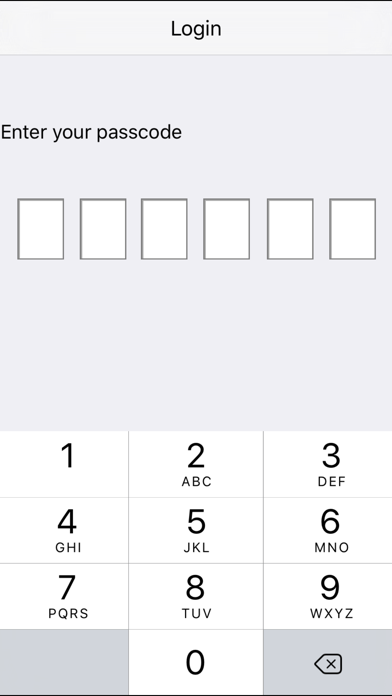
You will set a login passcode, only the people who know the passcode can use it.
- First, you need set a passcode.
- Then, you need enter the right passcode to use the browser when you open it.
- The others who do not know the passcode can not use it.
► FULL SCREEN
Surf the web in Full Screen. 40% more screen space available compared to normal web browser!
► CUSTOMIZABLE INTERFACE
- Minimize/Maximize the address bar to see only the title bar
- Show or hide the toolbar at the bottom
- Plenty of other options in settings
► UNLIMITED TABS w/ BACKGROUND LOADING
- Provides UNLIMITED number of desktop browser tabs, with advanced features like background loading.
- Hold on a link to open in a new tab.
- Tabs are rendered asynchronously and simultaneously so it runs fast even while multiple tabs load!
► FAST TAB SWITCHING (NON RELOADING TABS)
Tabs switch instantly and don't reload when switched, no matter how many tabs are currently open.
► BOOKMARKS
- Fully supports bookmarks
- Infinite (sub) folders.
- Add/edit/delete/Move(Need parent to enter password to add)
► LAUNCH HOMEPAGE , LAST SESSION, OR LAST PAGE VIEWED:
You can setup this browser to launch all previously open tabs, the last viewed page or your home page.
► Ope page in new tab or in the same tab
► Mail Page link