PicStash - Blur & Mosaic Image

PicStash - Blur & Mosaic Image Summary
PicStash - Blur & Mosaic Image is a free, ad-supported iOS app in Photo And Video by REAFO CO., LTD.. Released in Apr 2016 (10 years ago). It has 642 ratings with a 4.38★ (good) average. Based on AppGoblin estimates, it reaches roughly 349 monthly active users and generates around $<10K monthly revenue (0% IAP / 100% ads). Store last updated Sep 9, 2026
PicStash - Blur & Mosaic Image SDKs Summary
App not yet scanned for SDKs.
4.38★
Ratings: 642
Screenshots


App Description
PicStash is a blur photo editor. You can blur your images with multiple features.
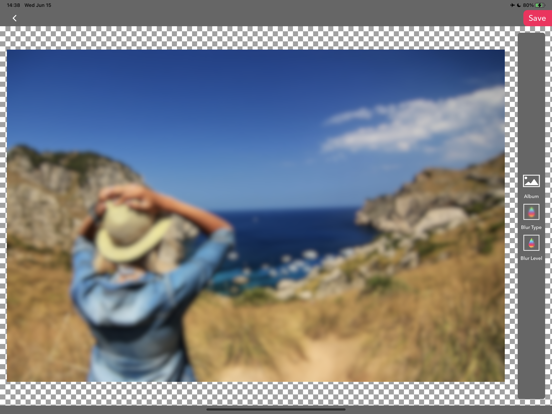
-- Cover photo with blur
You can make a photo totally blurred.
1. Select the photo you want to blur.
2. Select blur type (Blur / Dot / Mosaic).
3. Select blur level.
4. Press the "Save" button.
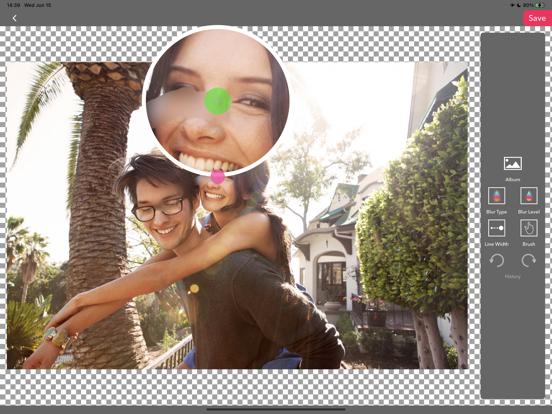
-- Blur by finger
You can make a photo blur with your finger.
1. Select the photo you want to blur.
2. Select blur type (Blur / Dot / Mosaic).
3. Select blur level.
4. Select brush width.
5. Swipe a port of the photo that you want to blur.
6. Press the "Save" button.
— Apply a tilt-shift blur effect
You can add tilt-shift blur to your photo.
1. Select the photo you want to blur.
2. Select blur type (Blur / Dot / Mosaic).
3. Select blur level.
4. Press the "Save" button.
— Blur photo with multi-masks
You can blur a photo with some shapes.
1. Select the photo you want to blur.
2. Add a shape mask for blur.
3. Select blur type (Blur / Dot / Mosaic).
4. Select blur level.
5. Press the "Save" button.
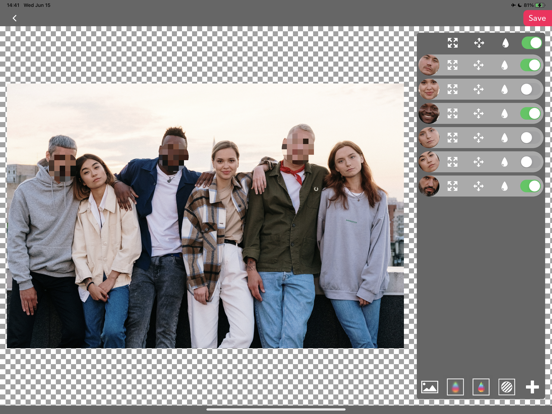
— Face tracking mode.
You can blur faces that are detected.
1. Select the photo you want to blur.
2. Tern on/off blur switches for faces.
2. Select blur type (Blur / Dot / Mosaic).
3. Select blur level.
4. Press the "Save" button.
* Face detection is only run on your device. Therefore this app doesn't send any images to servers for detection.
- Blur background mode.
This mode requires iOS15 or later.
1. Select the image you want to blur.
2. The background will automatically be blurred.
3. You can adjust the blurred area with your finger(blur/eraser).
2. Select blur type (Blur / Dot / Mosaic).
3. Select blur level.
4. Press the "Save" button.