Soundboard Studio

Soundboard Studio Summary
Soundboard Studio is a free, with in-app purchases iOS app in Music And Audio by App Business Ventures LLC. Released in May 2016 (10 years ago). It has 9.4K ratings with a 4.75★ (excellent) average. Based on AppGoblin estimates, it reaches roughly 23K monthly active users and generates around $<10K monthly revenue (100% IAP / 0% ads). Store last updated Oct 14, 2026
Recent activity: 12 new ratings this week View trends →
SDK intelligence: AppGoblin detected 1 business tools(e.g. RevenueCat) integrated into Soundboard Studio. View full SDK list →
Soundboard Studio SDKs Summary
Soundboard Studio was last scanned for SDKs on 2026-08-20. Below is the overview of third-party companies detected in the app. The full list of SDKs, permissions and unknowns is available here.
 RevenueCat
4.75★
Ratings: 9.4K
Screenshots



App Description
Soundboard Studio is the professional and smart sound playback app, perfect for for music, sound effects, voiceovers, pads, soundbites or anything else!
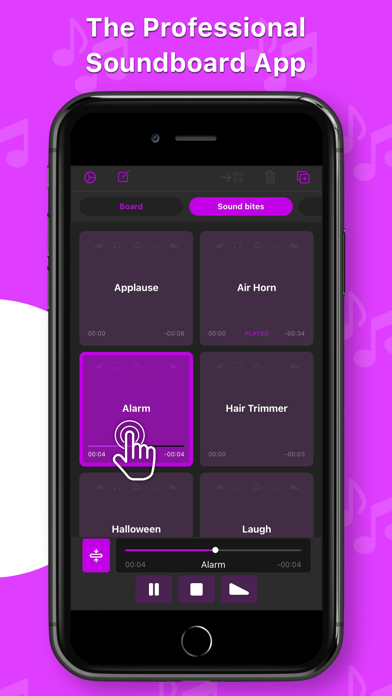
Soundboard Studio is designed for playing ad-lib sounds and music, with its large grid of buttons for each of your tracks. You can customise the layout, colours and detailed settings for all of your tracks.
For years, Soundboard Studio has been the app of choice for many pro podcasters, studios, event venues and more. Here's just a few of their thoughts:
• “For the price it knocks everything else out of the ring that compares to work on a tablet or laptop.”
• “For me, this is the best of any program out there, and I’ve tried a lot.”
• “My worship Live looping is in a whole new Level! Thank you guys!”
• “This app is professional grade and made for—you guessed it—professionals! You won't regret this investment.”
• “Podcasters, look no further: This is your soundboard app!”
• “This is for serious professionals, so if that's you, add this app to your arsenal immediately.”
Top Features:
• Play multiple tracks simultaneously
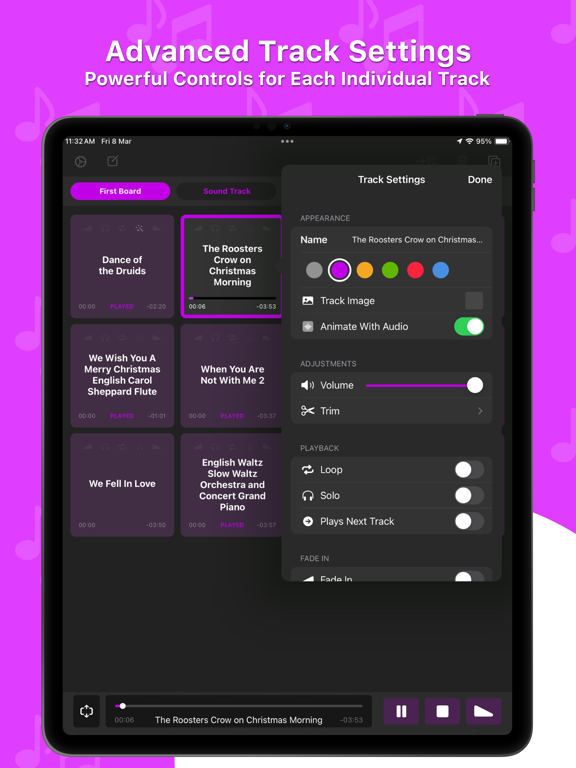
• Set tracks to fade in and/or fade out
• Set individual volume levels for each track
• Trim the start and end of individual tracks
• Set tracks to automatically play the next adjacent track when they reaches their end
• Monitor and control multiple playing tracks
• Add images to your tracks to make them instantly recognisable
• Create multiple 'Boards' of tracks and quickly navigate between them
• Assign default track settings to apply to all newly imported tracks
• Import tracks from the Music library on your device
• Import audio files from your favourite apps and services like Dropbox, Google Drive, iCloud Drive and more via the Files app
• Use iTunes File Sharing to import files directly from your computer
• Drag & drop support – Drag any compatible audio files into Soundboard Studio
• See which tracks you have already played
• Low latency playback using the power and simplicity of iOS
• Colours! Select from 6 colours for your tracks and boards
• Collapsible view of all playing tracks for better control
• Easy drag & drop track arrangement
• Move tracks between boards
• Import multiple files at once from the Files app
• iPad split-screen multitasking support
• iPad slide-over multitasking support