Griddy: Split Photo Grid Posts

Griddy: Split Photo Grid Posts Summary
Griddy: Split Photo Grid Posts is a ad-supported, with in-app purchases iOS app in Art And Design by keang david. Released in May 2016 (10 years ago). It has 10.9K ratings with a 4.72★ (excellent) average. Based on AppGoblin estimates, it reaches roughly 18.3K monthly active users and generates around $<10K monthly revenue (31% IAP / 69% ads). Store last updated May 1, 2026
Recent activity: 2.00 new ratings this week View trends →
Griddy: Split Photo Grid Posts SDKs Summary
App not yet scanned for SDKs.
4.72★
Ratings: 10.9K
Screenshots

App Description
Transform your Instagram Profile into a professional look with Griddy – the All-In-One tool for creating grid posts, seamless carousel layouts, engaging instagram stories, and visually captivating content. Whether you’re an influencer, small business owner, or content creator, Griddy simplifies Instagram marketing like never before.
*** Key Features ***
1. Photo Splitter
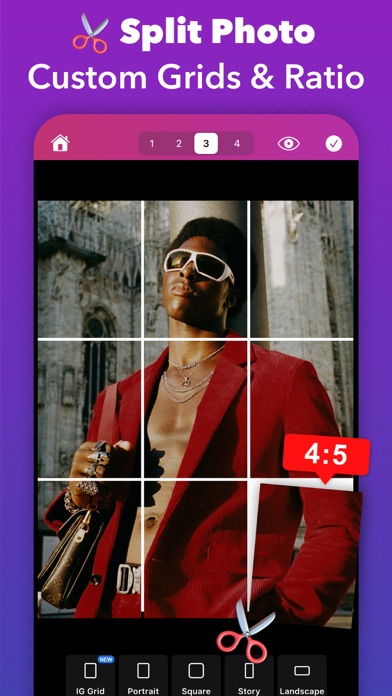
Griddy makes it easy to split your photos into grid layouts for Instagram, with options for up to 10 rows (30 posts) to create eye-catching feed layout. YChoose from predefined grid layouts such as 1x3, 2x3, 3x3, or 4x3 with a single tap to quickly achieve a stunning Instagram feed or slice panorama photos into seamless carousel posts with ease.
For more control, you can split your photo into custom grid layouts and adjust the aspect ratio (landscape, square, portrait, story to fit your unique style.
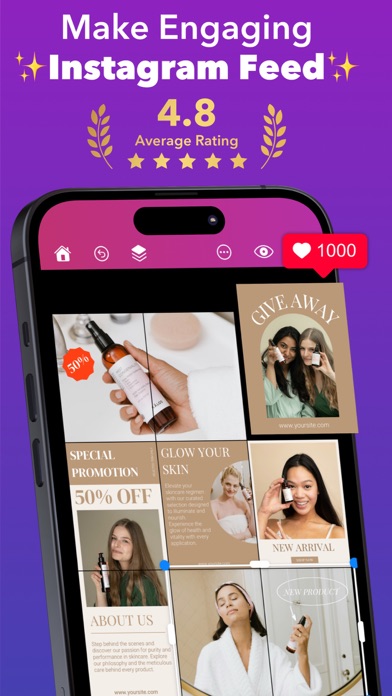
2. Puzzle Feed Templates
Design seamless puzzle-style Instagram feeds with our aesthetic template. Perfect for creating a cohesive, professional look.
3. Carousel Post Maker
Turn your regular carousel posts into seamless photo collages or image galleries in seconds, ensuring your audience swipes for more.
4. Photo Collage Maker
Easily combine multiple photos with our easy-to-use, free photo collage maker app. Create beautiful collages from your photos and choose from dozens of creative layouts!
5. 500+ Customizable Templates
Choose from a diverse collection of fully customizable templates for different content types such as Grid Feeds, Carousel Posts, Stories, and Square Posts, curated for your business and brand.
6. Design Anything
Create on-trend Instagram posts with beautiful text fonts, stickers, and shapes. With our easy-to-use tools, you can do anything effortlessly with zoom & edit mode, working with layers, and multiple selection.
7. Add Text with Style
Enhance your posts with text effects like curved text, strokes, shadows, background colors, and rounded corners to make your captions pop.
8. Resize & Crop Photos
Quickly resize your photos to different Instagram Post sizes with a beautiful background color selection.
9. Watermark Tool
Protect your photos and content with an instant watermarking feature, ideal for maintaining your brand’s identity.
10. Brand Kit
Manage and apply your brand's logos, fonts, and colors to your designs easily.
Import custom fonts to elevate