MyScript Notes: AI Handwriting

MyScript Notes: AI Handwriting Summary
MyScript Notes: AI Handwriting is a free, with in-app purchases iOS app in Productivity by MyScript. Released in Aug 2016 (10 years ago). It has 108K ratings with a 4.66★ (excellent) average. Based on AppGoblin estimates, it reaches roughly 261K monthly active users and generates around $<10K monthly revenue (100% IAP / 0% ads). Store last updated Oct 6, 2026
Recent activity: 23 new ratings this week View trends →
SDK intelligence: AppGoblin detected 3 development tools(e.g. Google), 2 business tools,and 1 analytics: product integrated into MyScript Notes: AI Handwriting. View full SDK list →
MyScript Notes: AI Handwriting SDKs Summary
MyScript Notes: AI Handwriting was last scanned for SDKs on 2026-08-10. Below is the overview of third-party companies detected in the app. The full list of SDKs, permissions and unknowns is available here.
 Google
 Airbnb Engineering
 OpenID
 Firebase
 RevenueCat
 Apryse
4.66★
Ratings: 108K
Screenshots

App Description
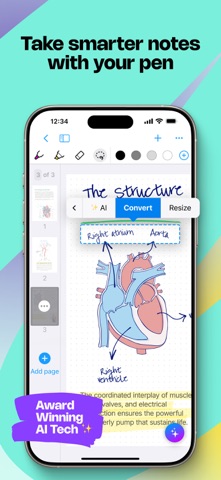
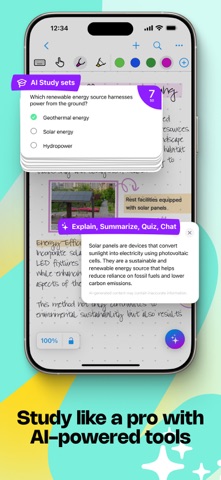
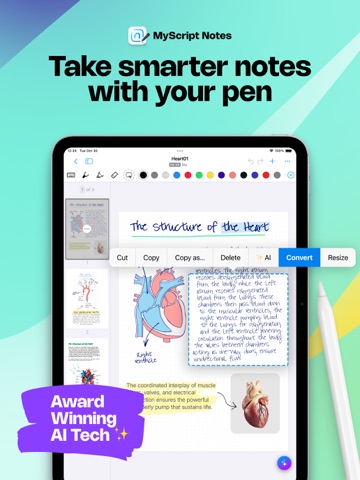
Create stunning notes and professional documents effortlessly by hand, brainstorm ideas on an infinite canvas, and annotate PDFs seamlessly. Powered by the world's leading AI handwriting recognition technology, MyScript Notes offers a dynamic platform where handwriting, text, drawings, diagrams, and images seamlessly coexist on an expandable canvas. Enhance your note-taking experience with intuitive pen gestures, effortlessly converting handwriting and shapes into typed text and precise forms.
MyScript Notes understands every word you write in your choice of 66 languages, and works on mobile platforms — so you can access and search your notes from any compatible device.
Enjoy 4 powerful experiences in one app:
• Create unlimited notebooks and fixed-size pages for your daily notes.
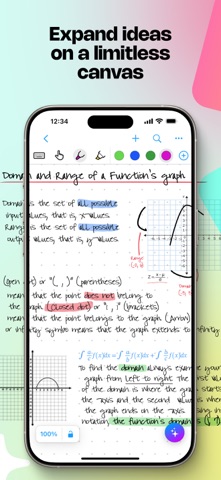
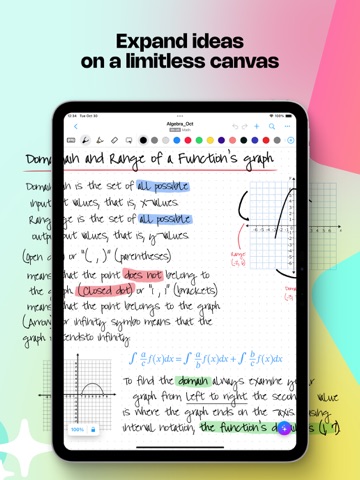
• Take freeform notes on boards — the world's most advanced endless canvas.
• Handwrite responsive documents, adding math calculations and diagrams.
• Import existing files as PDFs, ready to annotate.
Start with a 7-day free trial to get the full experience — then choose to upgrade to keep all features, or continue with a free limited version.
————————
DIGITAL HANDWRITING
• Write¹, type or dictate in the same page, sentence or even word.
• Accurately convert handwriting and math to typed text, and drawn diagrams to perfect shapes. Diagrams stay editable when pasted into PowerPoint!
• Write emoji and symbols with your pen.
• Highlight ideas live with a glowing laser pointer — no marks left behind.
• Draw straight lines with the ruler — drag, rotate and snap it into place to draw at any angle.
EDIT WITH YOUR PEN
• Use intuitive gestures to edit and format content without breaking your flow.
• Use the marker to highlight or color, the lasso to select, and the eraser to delete entire strokes or precisely defined content.
WRITE, TYPE AND DRAW FREELY ON A BOARD
• Enjoy an infinite canvas, ideal for brainstorming, mind mapping and freeform note-taking.
• Pan around and zoom in or out for a fresh perspective.
• Use the lasso to select, move, copy, delete or resize content — and to convert handwriting to typed text.
SWITCH TO A DOCUMENT FOR A RESPONSIVE EXPERIENCE
• Create and edit structured notes — your handwriting will automatically reflow as needed.
• Make edits, adjust layout, rotate your device or split your scree