PDF Viewer by Nutrient

PDF Viewer by Nutrient Summary
PDF Viewer by Nutrient is a with in-app purchases iOS app in Productivity by PSPDFKit GmbH. Released in Oct 2016 (9 years ago). It has 36.9K ratings with a 4.69★ (excellent) average. Based on AppGoblin estimates, it reaches roughly 105.2K monthly active users and generates around $<10K monthly revenue (100% IAP / 0% ads). Store metadata: updated Apr 22, 2026.
Recent activity: 14 new ratings this week View trends →
Data tracking: SDKs and third-party integrations were last analyzed on Apr 9, 2025.
Store info: Last updated on App Store on Apr 22, 2026 .
4.69★
Ratings: 36.9K
Screenshots

App Description
PDF Viewer is a fast and beautiful app, allowing you to view, search, and annotate PDF documents with ease on your iPhone and iPad.
Access your files from iCloud, Dropbox, Box, OneDrive, Google Drive or any other cloud solution via Apple's familiar Document Browser interface.
+++ Listed as “Productivity lifesaver” on the App Store +++
"A streamlined interface packed with powerful features - it’s like having a desktop-quality PDF toolkit wherever we go" – App Store Editor Notes
“I'm impressed by how the folks at PSPDFKit have been able to fine-tune the document browser to the app's needs.” – MacStories.net
"If you want a PDF viewer that is designed for reading PDF books, this is it." – App Review
VIEW DOCUMENTS ON THE GO
• Easily import a PDF from your favorite cloud service provider, email, or directly off a website.
• Supports Open In Place, Drag & Drop and features the familiar Apple Document Browser interface from the Files app.
• Search for the exact text you are looking for within the document.
• Double tap on the screen to Smart Zoom directly to the text you want to read.
• Annotate images (JPEG, PNG) non-destructive, just like PDF documents. (PRO)
ANNOTATE WITH EASE
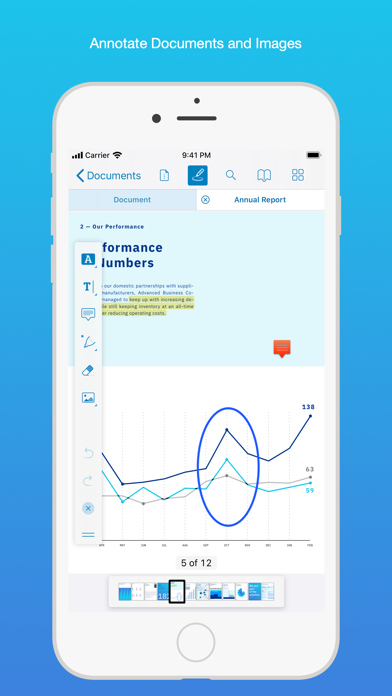
• While reviewing a document, use your finger or Apple Pencil to highlight and markup text.
• Leave comments by adding a note, text, or drawing directly on the PDF.
• Add images or audio.
• Reply to notes. (PRO)
SIGN DOCUMENTS ANYWHERE
• Add your signature to any document using your finger or Apple Pencil.
• Move and resize your signature as needed.
• Flatten a document to ensure the signature doesn’t change.
CREATE AND EDIT PDFs
• Create new documents from existing documents by moving, rotating, deleting, or adding new pages.
• Combine multiple documents into a single one. (PRO)
• Add bookmarks to easily return to certain pages in large documents.
FILL OUT FORMS
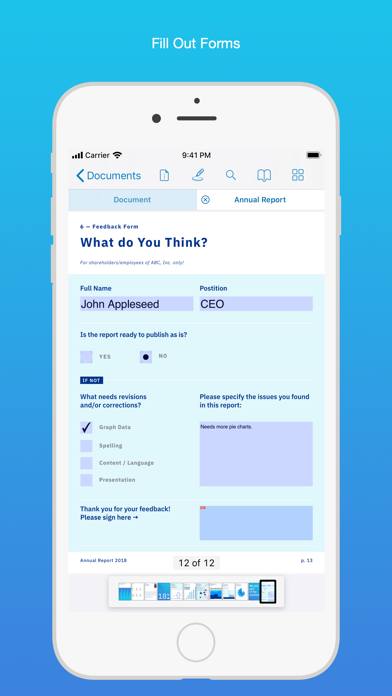
• Quickly fill out PDF Forms by adding text to the fields.
• Flatten and secure the form once you’re done to ensure the document doesn’t change.
• Add a signature to any Form.
STORE, ORGANIZE AND SHARE
• Store documents, create folders and organize your documents.
• Share documents by printing, emailing or saving your edits back any cloud service.
PASSWORD PROTECT DOCUMENTS
• Read document metadata, title and keywords.
• Protect documents with user and ow