Soft Drummer – Brush Sessions

Soft Drummer – Brush Sessions Summary
Soft Drummer – Brush Sessions is a with in-app purchases iOS app in Music And Audio by Lumbeat. Released in Jul 2016 (9 years ago). It has 639 ratings with a 4.67★ (excellent) average. Based on AppGoblin estimates, it reaches roughly 1.7K monthly active users and generates around $<10K monthly revenue (100% IAP / 0% ads). Store metadata: updated May 21, 2026.
Recent activity: 2.00 new ratings this week View trends →
Store info: Last updated on App Store on May 21, 2026 .
4.67★
Ratings: 639
Screenshots



App Description
Soft Drummer is your subtle session drummer, and now it works as an AUv3 plugin inside GarageBand, AUM, Loopy Pro or your favourite DAW.
It doesn't loop. It improvises.
With brushes, hot rods and hands, Soft Drummer generates warm, musical grooves for ballads, soft pop, jazz and latin, adapting in real time like a real session player. No patterns. No repetition.
AUv3
Use Soft Drummer as a plugin in any AUv3 host. Send and receive grooves between Soft Drummer, Pop Drummer and iBassist. Sync everything in real time.
SOUND
More than 50 multilayer sounds with 3 hit types (ghost, accented, drag/open)
× 3 Round Robin alternating samples for natural, authentic feel.
4 playing styles: Brushes, Hot Rods, Hands and Mallets.
4 Effects: Compressor/Gate, EQ, Delay and Reverb with individual track control.
LIVE PERFORMANCE
8 assignable Live Pads for fills, intros and endings, playable live or with any MIDI controller (iRig Blueboard and 4-button compatible).
Ableton Link sync for tight integration with your setup.
SONG MODE
Build your song structure in seconds. Arrange rhythmic sections and let Soft Drummer follow your song from intro to outro.
MIDI
MIDI Out, MIDI Sync (Legacy, recommended Ableton Link), Sound Module (Play individual sounds by MIDI In).
⏺ Assignable MIDI controls (default mapping):
- Transport: Play: G2 · Fill: C2 · Fill + Play/Stop: A2 · Tap Tempo: Bb2
- LivePads: Pads 1–8: C1–G1 · Load LivePad: C3 · Previous LivePad: Db3 · Next LivePad: D3 · Select LivePad Set: Eb3 · Fill on LivePad Change: E2
- Performance: Toggle Hats/Ride: Db2 · Fill + Toggle Hats/Ride: D2 · Toggle Snare: Eb2 · Crash Cymbal: B2 · Random: B1
- Songs: Previous: Gb2 · Next: Ab2
- Continuous controls: Jam: CC1 · Intensity: CC2 · Master Volume: CC7 · Swing: CC11 · Progression: CC12 · Tempo Fader: CC20 · Reverb: CC91
- Sound selection: Bank: CC32 · Rhythm: CC0 · Soundset: Program Change
All assignments are user-remappable.
Note octave naming follows the Logic / Cubase / Ableton / Pro Tools convention (middle C = C3) and is adjustable in MIDI Setup → OCTAVE REFERENCE.
Tempo Fader is standalone-only (host-driven in AUv3).
EXPORT
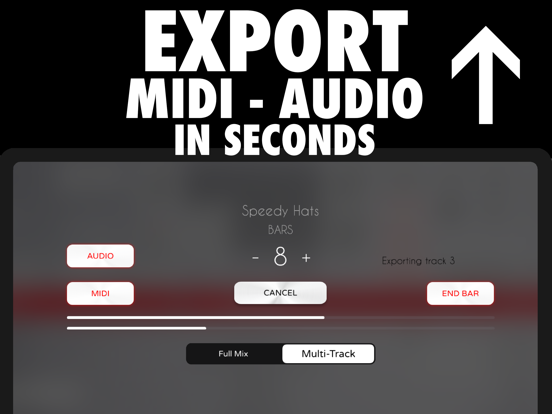
Multi-Track or Full Mix export in seconds. Audio, MIDI or with Effects , your choice.
TRY FOR FREE
Soft Drummer is free to explore for 7 days with access to all features. Some actions are limite