Clicker Counter - Live Tally

Clicker Counter - Live Tally Summary
Clicker Counter - Live Tally is a free, with in-app purchases iOS app in Tools by Oval Software Oy. Released in Jun 2016 (10 years ago). It has 79 ratings with a 4.19★ (good) average. Based on AppGoblin estimates, it reaches roughly 200 monthly active users and generates around $<10K monthly revenue (100% IAP / 0% ads). Store last updated Apr 4, 2026
Clicker Counter - Live Tally SDKs Summary
App not yet scanned for SDKs.
4.19★
Ratings: 79
Screenshots


App Description
The simplest way to count people. Whether you're managing a venue, running an event, or tracking attendance at any door - Counter gives you a fast, accurate headcount with a single tap.
One Big Button
Tap to count. That's it. A large, satisfying button that instantly updates your total. Subtract with a tap too when people leave.
Live Sharing
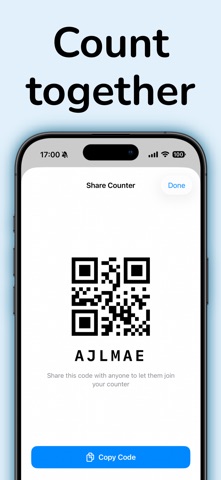
Share your counter with your team using a code or QR scan. Everyone sees the same count, updated in real-time. Perfect for multiple entrances, shifts, or anyone who needs to stay in sync.
Hourly Timeline
See how your count changes over time with a built-in chart. Track busy hours, spot patterns, and review your day — all at a glance. Automatically adapts from hourly to daily to weekly views as your data grows.
Capacity Alerts
Set a max capacity and get a visual warning the moment you go over. Never exceed your limit again.
Multiple Counters
Track as many events, rooms, or doors as you need. Swipe between them instantly. Each counter keeps its own history and stats.
Built for Speed
Rapid taps are stacked — every single press counts, even when you're counting fast. Works offline too, and syncs when you're back online.
Subscription terms:
- The subscription auto-renews at the end of each term.
- Payment will be charged to iTunes Account at confirmation of purchase.
- The subscription automatically renews unless auto-renew is turned off at least 24-hours before the end of the current period.
- Account will be charged for renewal within 24-hours prior to the end of the current period.
- You may manage your subscription and turn off auto-renewal by going to your Account Settings after purchase.
Privacy policy and Terms of Use: https://oval.fi/privacy-counter