Video Compressor & Editor

Video Compressor & Editor Summary
Video Compressor & Editor is a with in-app purchases iOS app in Photo And Video by 勇 陈. Released in Jul 2016 (9 years ago). It has 3.1K ratings with a 4.60★ (excellent) average. Based on AppGoblin estimates, it reaches roughly 2.5K monthly active users and generates around $<10K monthly revenue (100% IAP / 0% ads). Store metadata: updated Feb 3, 2020, version 20200203.
Data tracking: SDKs and third-party integrations were last analyzed on Jan 31, 2026.
Store info: Last updated on App Store on Feb 3, 2020 (version 20200203).
4.6★
Ratings: 3.1K
Screenshots



App Description
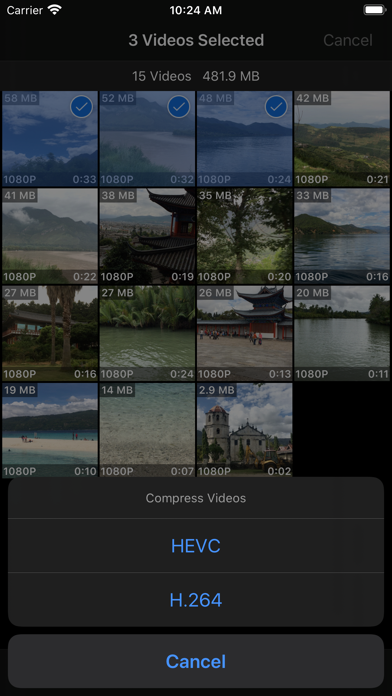
A full-featured and easy-to-use video toolbox, can be used to batch compress, crop, trim, cut, split, merge and rotate videos in Photo Library. Support HEVC & H.264 codec, save more storage than traditional H.264 compressor.
Compress Video:
- Support batch and single video compression
- Resolution options for H.264 Compression: 4K, 1080p, 720p, 540p, 480p
- Resolution options for HEVC Compression: 4K, 1080p, 720p
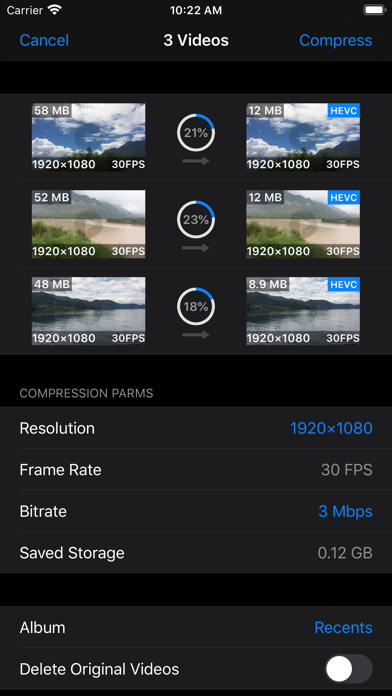
- Support adjusting frame rate, 240 FPS's video can be compressed to 240/120/60/30 FPS
- Multiple bitrate options for each resolution and frame rate option
- Input any compression bitrate through keyboard
- Provide preview function for checking compressed video’s image quality
- Compressed video can be saved to a user selected album
- Retain all metadata of original video, including timed metadata info in metadata tracks
- Automatically add creation date metadata to videos without it, prevent from losing video's creation or capture date
Crop Video:
- Crop video to fixed ratio’s resolution : 2:1/16:9 / 4:3 / 1:1 / 3:4 / 9:16/1:2
- Crop video to any resolution
- Input fixed corp size through keyboard
- Touch the lower right corner of the cropped video, drag to adjust it's resolution
- Touch other part of the cropped video, drag to adjust it’s position in original video
- Support setting export format, delete and storage album option for all editing functions
Trim and Cut Video:
- Easy scrolled video preview make trim position’s setting very convenient and accurate
- Trim precision can reach 0.1 second
- Automatically calculate and display trimmed or cut video’s duration
- Trimmed or cut video is exported in the same resolution and bitrate as original video
Split Video:
- One video can be split up to 5 to 7 clips, export and save to Photo Library
- Insert or remove a split point is very easy and straightforward
- Split position's precision can reach 0.1 second
- Split video clips are exported in the same resolution and bitrate as original video
Merge Video:
- Support merging up to 6 video clips to one video
- Select and view video clips in the order of creation date and modification date
- Preview the merged video, export to camera roll instantly
Rotate Video:
- Rotate video clockwise or anti-clockwise
- Preview rotated video
Video File Management:
- View videos in the orders of creation date, modification date, file size and albums