Spark Camera & Video Editor

Spark Camera & Video Editor Summary
Spark Camera & Video Editor is a free, with in-app purchases iOS app in Photo And Video by Dayworks.. Released in Aug 2016 (10 years ago). It has 33K ratings with a 4.70★ (excellent) average. Based on AppGoblin estimates, it reaches roughly 22K monthly active users and generates around $<10K monthly revenue (100% IAP / 0% ads). Store last updated Jan 6, 2021
Recent activity: 1.00 new ratings this week View trends →
SDK intelligence: AppGoblin detected 5 development tools(e.g. Google), 1 ad networks, 1 analytics: product, 1 analytics: attribution,and 1 business tools integrated into Spark Camera & Video Editor. View full SDK list →
Spark Camera & Video Editor SDKs Summary
Spark Camera & Video Editor was last scanned for SDKs on 2026-10-17. Below is the overview of third-party companies detected in the app. The full list of SDKs, permissions and unknowns is available here.
 Google
 nanopb
 Alamofire
 MongoDB
 Facebook
 Firebase
 Adjust
 Bugsnag
4.7★
Ratings: 33K
Screenshots
App Description
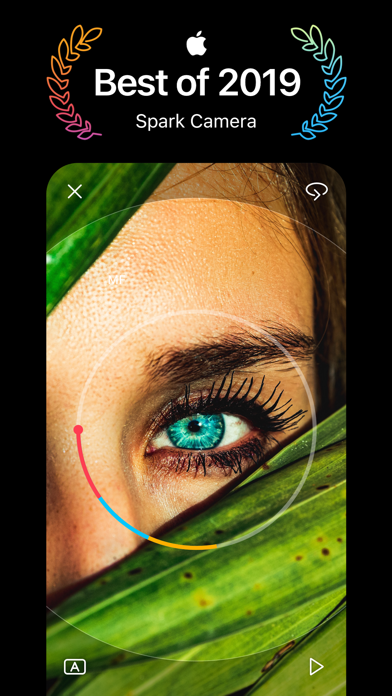
** Best of 2019 ** –– Apple
“The camera of choice for countless influencers and brands” –– Apple
“Gorgeous App for Making Movies on Your iPhone” –– Wired
Spark Camera is an award-winning camcorder for your iPhone. Over 1 million creators on Instagram and YouTube use Spark for it’s simplicity and speed in creating vlog-like videos. Everyone from big organizations like TED, to Instagram influencers, to small businesses use Spark to make videos that stand out. And we also have everyday people use Spark as their camcorder to record weddings, vacations, parties and more. Unlike other video editors, Spark Camera is all about the camera. You shoot all of your clips in the app and when you’re done, your video is already edited together. From there you can add one of 30 beautiful filters and any song from our popular license free music library.
Features:
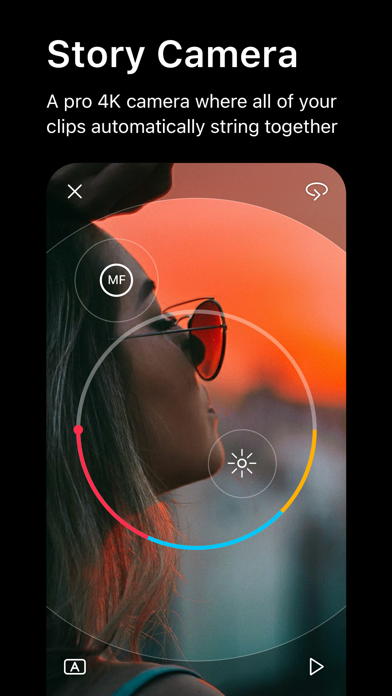
+ Simply press and hold to capture as many moments as you’d like in 1080p HD and 4K.
+ Easily access advanced camera controls for FPS and stabilization.
+ Choose from over 20 stunning filters by simply sliding left and right. Adjust the intensity by sliding up and down.
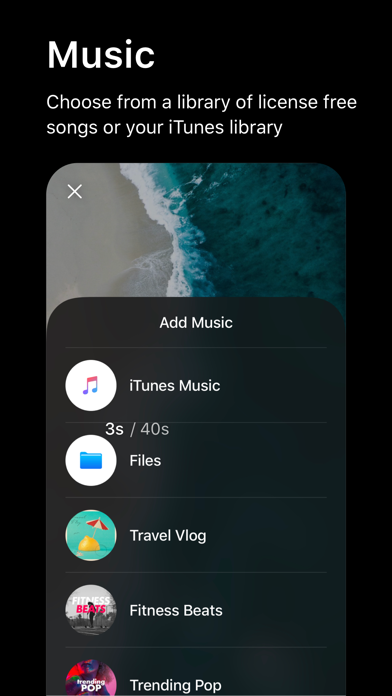
+ Add music from your iTunes library or our hand-picked music library to give your video the perfect mood
+ Narrate your videos with one-touch voice overs.
+ Trim, reorder, and delete clips from your video with a beautiful and simple interface
+ Adjust speed and volume on every clip for complete creative control.
+ Share your Spark with your friends on Instagram Stories, TikTok, IGTV, Snapchat, iMessage, or anywhere else.
Spark Camera gives everyone the ability to create beautiful video memories.
Have questions, problems, or feedback? Reach out to us at team@sparkcamera.com
The Spark Pro Membership Experience
Spark Pro is a $2.99/mo or $29.99 USD/year subscription that provides access to tools that give you even more editing control such as our beautiful pro filters, an ever-growing music library and voice over, stabilization, transitions and more, updated monthly. Subscription auto-renews at the end of each term (month or year depending on subscription), unless cancelled 24-hours in advance. The subscription fee is charged to your iTunes account at confirmation of purchase. You may manage your subscription and turn off auto-renewal by going to your Settings after purchase. No cancellation of the current subscriptio