SchoolCafé

SchoolCafé Summary
SchoolCafé is a free iOS app in Education by Cybersoft PrimeroEdge. Released in Jul 2016 (10 years ago). It has 111K ratings with a 4.87★ (excellent) average. Based on AppGoblin estimates, it reaches roughly 138K monthly active users . Store last updated Sep 4, 2026
Recent activity: 286 new ratings this week View trends →
SDK intelligence: AppGoblin detected 2 development tools(e.g. Google),and 1 analytics: product integrated into SchoolCafé. View full SDK list →
SchoolCafé SDKs Summary
SchoolCafé was last scanned for SDKs on 2026-08-10. Below is the overview of third-party companies detected in the app. The full list of SDKs, permissions and unknowns is available here.
 Google
 nanopb
 Firebase
4.87★
Ratings: 111K
Screenshots



App Description
SchoolCafé is powered by PrimeroEdge, the leading school nutrition management software for K-12 school districts and food service providers in the United States.
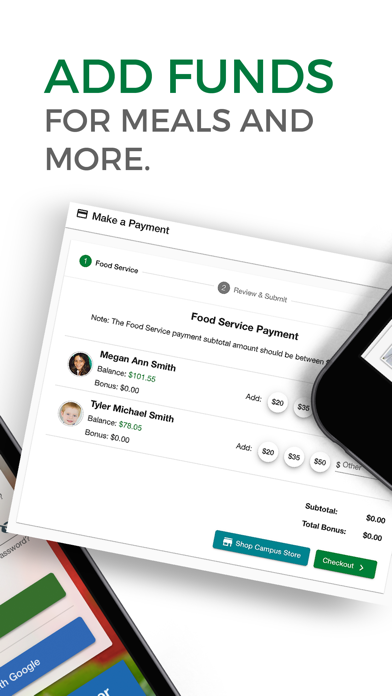
Parents: Manage your child's cafeteria account. Apply for free or reduced meals. Make payments, view purchase history, receive low balance alerts, and view school menus containing nutritional and allergen information for items. For convenience, setup automatic payments to replenish your child's cafeteria funds. Know what is on the menu at the school cafeteria and provide feedback by rating and sharing items. Favorite your child's favorite items and SchoolCafé will send you a push notification to let you know when it's on the menu.
Students and Staff: Use SchoolCafé to check out what's available on the cafeteria menu each day. View nutritional and allergen information to help you make healthy decisions. Use "Make a Tray" to build your meal for the items available that day and see the combined nutrient information. Give your feedback to the school cafeteria by rating items. Favorite specific items on the menu so that you can know when they'll be available in the cafeteria. Connect to your cafeteria account to always know your account balance and have access to your digital ID card.
District Administrators: View helpful reports and useful analytics for users in your districts and help them manage their accounts.
SchoolCafé is available for participating schools only.