Preview -Interactive Prototype

Preview -Interactive Prototype Summary
Preview -Interactive Prototype is a with in-app purchases iOS app in Art And Design by Poke Design. Released in Sep 2016 (9 years ago). It has 2.00 ratings with a 4.00★ (good) average. Based on AppGoblin estimates, it reaches roughly 10 monthly active users and generates around $<10K monthly revenue (100% IAP / 0% ads). Store metadata: updated Oct 23, 2023.
Store info: Last updated on App Store on Oct 23, 2023 .
4★
Ratings: 2.00
Screenshots



App Description
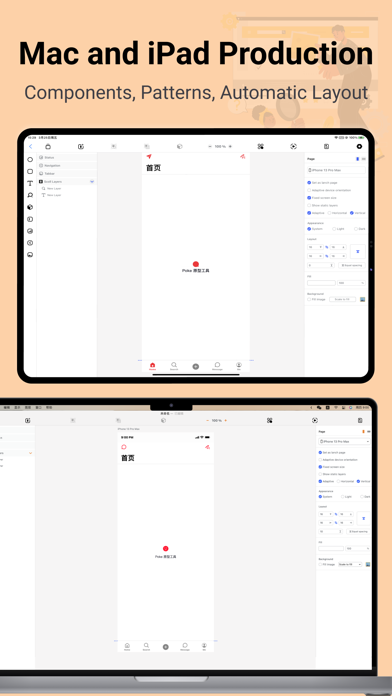
Here is the Poke high-fidelity interactive prototype mobile preview tool, the production side is also online, iPad side and computer side, search Poke prototype to download!
** Native Preview Prototype **
Preview prototypes made on iPad and Mac as native components, allowing you to view all interactions directly and make the prototype usable.
** Exporting Requirements Documents **
Requirements descriptions added during the prototyping process can be directly exported to interactive requirements documents, making it easier for developers to view them.
** Gesture Operation Track **
You can project the preview device directly onto the display and turn on the gesture track, you can demonstrate our products and explain our product requirements directly on the big screen.
** Support Light Mode and Dark Mode **
The Light Mode and Dark Mode modes of the prototype can be switched during the preview, without any additional design.
At the same time the preview end of the team function, online requirements documentation and user testing and other features will soon be online, stay tuned!
### The new Poke high-fidelity, interactive prototyping tool is back online!
Poke is a high-fidelity interactive product prototyping tool that can add elements by dragging and dropping on the computer or iPad, automatically lay out, add interactions and requirements descriptions, support common components and common styles, and directly generate interactive high-fidelity prototypes that can be viewed directly in the preview side natively.
** Native Component Support **
Poke provides navigation bar, Tabbar, input box, text, image, icon and other common components, drag and drop to add directly to create high-fidelity prototypes, easy and convenient, and components can be directly in the preview side of the native preview, while more native components will be online soon.
** Prototype Interactivity **
Poke provides common interactions, page jump, operation layer, confirmation layer, element state change, more content display layer, open web page and some native functions of phone interactions, in the process of prototyping each element directly add the corresponding interaction, you can make the prototype interactive, you can better understand the upcoming product.
** Preset Common Styles **
- Preset common text style and text fill content, click to set the style and text conten