cWords - search hidden words puzzle with pictures

cWords - search hidden words puzzle with pictures Summary
cWords - search hidden words puzzle with pictures is a free, with in-app purchases iOS app in Puzzle by Petr Vanek. Released in Sep 2016 (10 years ago). It has 1.00 ratings with a 5.00★ (excellent) average. Based on AppGoblin estimates, it reaches roughly 2.00 monthly active users and generates around $<10K monthly revenue (100% IAP / 0% ads). Store last updated Nov 6, 2016
cWords - search hidden words puzzle with pictures SDKs Summary
App not yet scanned for SDKs.
5★
Ratings: 1.00
Screenshots


App Description
Do you love eight directional criss cross wordsearch puzzle? Are you good in searching hidden words in bunch of letters? What if you get clues by photos, will you find words faster? Moreover imagine that you are not forced to draw straight line across all letters and you can play with friends in Multiplayer match! Sounds good? Prepare your brain, download for free, guess and searchwords!
Brain taking eight-direction crossword game with letters, hundreds of hidden words belonging to original photos.
Find out what is on the picture and mark hidden word which could be placed in any direction. Try if you can [C] WORDS!
Collect crowns and exchange them for the clues.
You can guess from pictures the hidden words in six languages: English, Spanish, Czech, Polish, Slovak, German.
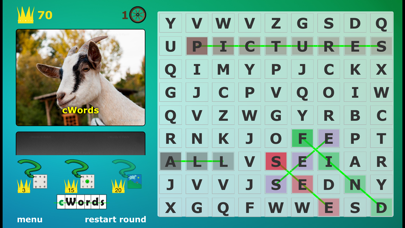
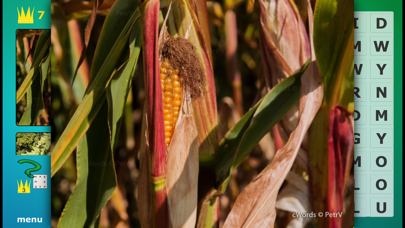
This wordsearch puzzle game is about five hidden words and pictures per round - you can scroll down the photos or tap on thumbnail to show fullscreen preview. Train your brain and eyes, search hidden words!
CONTROLS:
Two control modes: Lazy and Strict (default - see details bellow).
For kids who still learning basic movements we recomend Strict mode, there is double reward for finished round.
For easy and fast control set Lazy mode which is good for iPhone, traveling, walking,...
- LAZY: You just start touch and drawing at first letter, continue to second and then any letters you pass will draw a line in your direction and you get marked your hidden word.
! Swipe from side to side, up and down or draw circle arround is enought after you set direction of drawing line !
- STRICT: You have to start touch at first letter, continue strictly in direction of word and release touch at last letter. No wrong letters in the way are accepted durring Strict mode.
Try both control modes and decide which fits to you.
SETTINGS:
- Language of hidden words
- lowercase or UPPERCASE letters in game settings.
- Strict/Lazy control.
- Enable or Disable tile shadows.
- Enable or Disable tile borders.
HELP:
Can't find hidden word? Try some clue.
There are three help buttons:
3x Crowns = remove random 3 letters.
10x Crowns = show random letter from one of the hidden words.
20x Crowns = show word for the first picture, this help is unavailable until you find and mark this word.
Search hidden words in theese languages: english, español, česky, slovak, polski, german.
Game UI: english, české, pols