Pass2U Wallet - Add store card

Pass2U Wallet - Add store card Summary
Pass2U Wallet - Add store card is a free, ad-supported, with in-app purchases iOS app in Shopping by MicroMacro Mobile Inc.. Released in Sep 2016 (9 years ago). It has 11K ratings with a 4.28★ (good) average. Based on AppGoblin estimates, it reaches roughly 37K monthly active users and generates around $<10K monthly revenue (25% IAP / 75% ads). Store last updated Aug 6, 2026
Recent activity: 2.00 new ratings this week View trends →
SDK intelligence: AppGoblin detected 5 development tools(e.g. SDWebImage), 4 ad networks,and 2 analytics: product integrated into Pass2U Wallet - Add store card. View full SDK list →
Pass2U Wallet - Add store card SDKs Summary
Pass2U Wallet - Add store card was last scanned for SDKs on 2026-07-28. Below is the overview of third-party companies detected in the app. The full list of SDKs, permissions and unknowns is available here.
 AdMob
AdMob Google
 Snap
Snap Facebook
 Firebase
 Mixpanel
 SDWebImage
 OpenID
 Alamofire
4.28★
Ratings: 11K
Screenshots

App Description
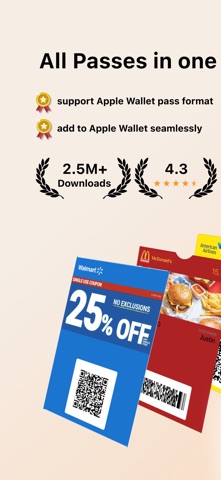
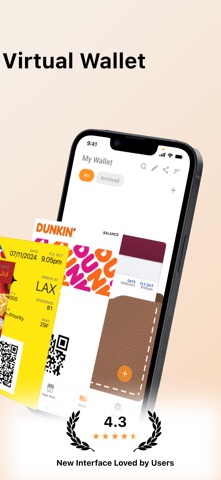
Pass2U Wallet offers an all-in-one digital card solution, bringing together your store cards, coupon, boarding passes, business cards, and more into one platform. With fully customizable designs and seamless integration with Apple Wallet, you can effortlessly manage all your online and offline passes and skip the lines with ease!
Main features
Create, store and manage a wide variety of passes, including (but not limited to): membership cards, store cards, event tickets, coupons, gift cards, reward cards, boarding passes, transportation tickets, business cards, identity cards, and etc.
Easily scan barcodes or import from photos to digitize your cards.
Personalize passes with custom templates and see real-time updates while editing.
Automatically receive notifications based on event dates or your location.
Apply hundreds of pass templates or design your own in the Pass Store.
Backup and restore passes via iCloud or Google Drive.
Pass2U does not record any personal information nor save any details about passes you create.
Some features are included in Pro version.
Supported Barcodes
Default type:
Code 128 (not supported by Apple Watch)
QR code
Aztec code
PDF417
Not supported by Apple Wallet, they will be converted into strip images:
Code 39
Code 93
Code-39 Mod 43
EAN-8
EAN-13
UPC-A
Frequent Questions
How can I backup all of my passes?
You can go to the setting of iPhone > Apple ID > iCloud > turn on Wallet. Once you would like to use another iPhone, you can log in with the same Apple ID and turn on Wallet for iCloud. Then you will see the passes issued by Pass2U on Pass2U Wallet.
How can I issue a lot of passes?
You could go to https://www.pass2u.net/ to design the models and send the passes to your customers.
If you have any comment or feedback about Pass2U Wallet, we’d love to hear you at [contact@micromacro.com.tw].