iNote - Sticky Note by Color

iNote - Sticky Note by Color Summary
iNote - Sticky Note by Color is a ad-supported, with in-app purchases iOS app in Productivity by CONG DUC TRAN. Released in Sep 2016 (9 years ago). It has 3.4K ratings with a 4.16★ (good) average. Based on AppGoblin estimates, it reaches roughly 9.4K monthly active users and generates around $<10K monthly revenue (22% IAP / 78% ads). Store metadata: updated Jan 27, 2026.
Recent activity: -1 new ratings this week View trends →
Store info: Last updated on App Store on Jan 27, 2026 .
4.16★
Ratings: 3.4K
Screenshots
App Description
iNote Free is a simple and quick sticky notepad app. This helps you organize your notes, memos, messages, emails, shopping lists, check lists and to-do lists by COLOR. Taking color notes with iNote is never easier than before.
MANAGE NOTE BY COLOR
Each note has a main color so you can group these notes by a color-category in a professional way like: memos, to-do lists, shopping lists, emails, travels, and ideas...
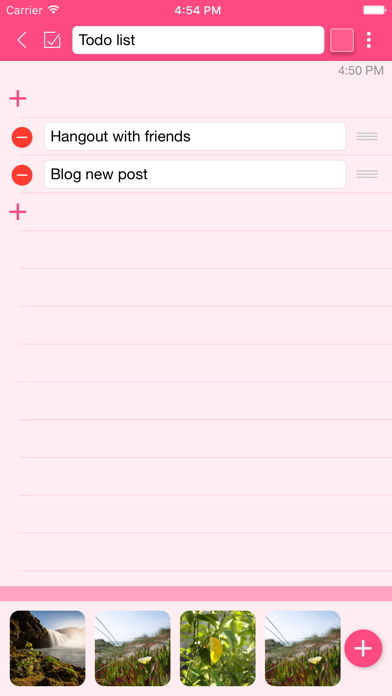
ADD IMAGES TO NOTE
Notes now can attach photos. All photos are sync with iCloud too.
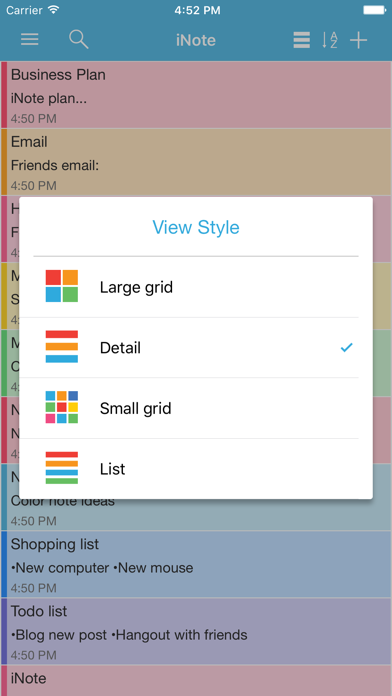
DISPLAY NOTE WITH MANY OPTIONS
You can view your notes in grid (like sticky note), quick list, or detail list. This app helps you sort notes by color, remind time, updated time, created time, or title name. So you can view these note quickly and super easily.
SYNC WITH ICLOUD, NEVER LOST YOUR NOTE
Your notes is sync with your iCloud account, so you can take note on iPhone and use on your iPad and vise versa. You will never lost note because your data is saved on iCloud.
BACKUP & IMPORT EASILY
You can backup your data, send via email then import them on all of your devices when ever you want. This app supports importing notes from ColorNote app on other devices, so you will never miss your notes.
FAST CREATE TODO LIST
In the checklist mode, you can take note quickly and re-arrange to-do items easily. When clicking on each item, you can check or un-check as done by a quick tap. Checked item will be slashed like the way you check them on your notebook.
REMIND AND CALENDAR
With each note, you can add a reminder. Then the app will notify you when the even happens. You can also repeat these events daily, weekly, monthly or yearly depend on your settings.
And you can view these events in calendar mode. It will help you have a quick view of events on specific month and day.
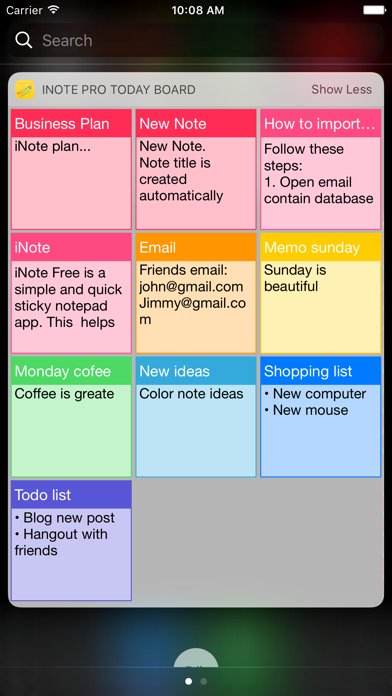
PIN ON TODAY BOARD WIDGET
You now can pin notes on to Today Board up to 12 notes, then you can access these note every where, at any time you need from Notification Center.
KEY FEATURES:
- Organize notes by color, display with many layout options
- Attach photos to note
- Sync with iCloud, backup and import notes
- Checklist notes for To do list and Shopping list
- Remind notes and calendar
- Pin notes on Today Board
iNote supports up to 12 languages: English, Vietnamese, Spanish, Japanese, Simplified Chinese, Traditional Chinese, German, French, Turkish, Portuguese, Russian, Italian. The l