WeDJ for iPhone

WeDJ for iPhone Summary
WeDJ for iPhone is a free, with in-app purchases iOS app in Music And Audio by AlphaTheta Corporation. Released in Nov 2016 (9 years ago). It has 71K ratings with a 4.71★ (excellent) average. Based on AppGoblin estimates, it reaches roughly 202K monthly active users and generates around $<10K monthly revenue (100% IAP / 0% ads). Store last updated Aug 18, 2026
Recent activity: 28 new ratings this week View trends →
SDK intelligence: AppGoblin detected 2 development tools(e.g. Google),and 1 analytics: product integrated into WeDJ for iPhone. View full SDK list →
WeDJ for iPhone SDKs Summary
WeDJ for iPhone was last scanned for SDKs on 2026-10-24. Below is the overview of third-party companies detected in the app. The full list of SDKs, permissions and unknowns is available here.
 Google
 nanopb
 Firebase
4.71★
Ratings: 71K
Screenshots
App Description
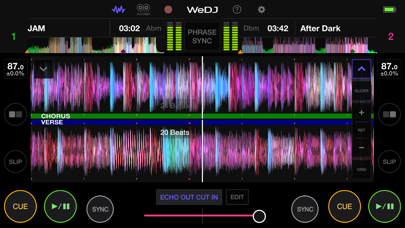
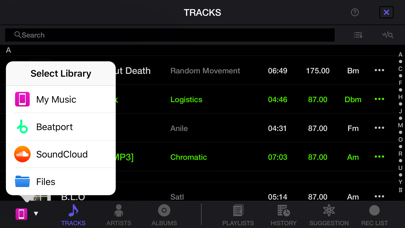
Get the party started with WeDJ for iPhone! Developed by Pioneer DJ – the brand known for its club-standard DJ equipment – this app offers a flexible and seamless DJ experience. Play and mix music from streaming services such as Beatport Steaming and SoundCloud Go+/DJ, as well as tracks stored on your iPhone, and use performance features and FX to create your own sound.
◆Key features
Discover and mix new music.
Play tracks from:
- Your iTunes
- Beatport Steaming (subscription required)*
- SoundCloud Go+/DJ (subscription required)*
- Other locations on your iPhone, such as Dropbox
* Please contact the service developer about the corresponding countries of each streaming service.
◆Take your performances to the next level by connecting compatible DJ gear.
Get hands-on with any of these units:
- DDJ-200
- DDJ-WeGO4
- DDJ-WeGO3
◆Main features
◇Make the music your own.
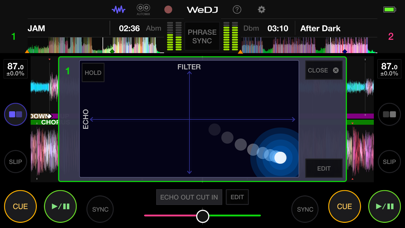
FX (effects): Change the texture of the sound using various FX, such as Echo and Reverb.
Sampler: Get creative by triggering included sounds such as Horn and Siren.
3-band EQ: Mix smoothly by adjusting the volume of three sound ranges: high, medium, and low.
Tempo slider: Control the speed of each track and use Master Tempo to prevent changes to the key.
◇Other features
2-channel layout: Play two different tracks at the same time.
Beat Sync: Sync the tempo of two songs with the touch of a button.
Crossfader: Adjust the volume balance of the two tracks.
Transition FX: Create a professional-sounding transition between tracks by simply moving the crossfader.
◇Play your favorite parts of a track
Loop: Choose a section of a track and play it repeatedly.
Hot Cue: Mark the point in a track where you want to start playing from and jump to it at any time.
◇Listen and share
Automix: Let the app do the mixing so you can simply enjoy listening.
Record: Capture your mix and play it back (disabled when streaming music).
Upload: Share your mix with friends and music lovers via Mixcloud or SoundCloud.
◇Design
Jog wheels: Scratch tracks by touching the jog wheel on the screen.
Enlarged waveforms: See a visual representation of the track and touch the waveform to visually check the playback position.