Figma

Figma Summary
Figma is a free iOS app in Art And Design by Figma Inc.. Released in Sep 2016 (10 years ago). It has 101K ratings with a 4.60★ (excellent) average. Based on AppGoblin estimates, it reaches roughly 315K monthly active users . Store last updated Sep 30, 2026
Recent activity: 111 new ratings this week View trends →
Figma SDKs Summary
App not yet scanned for SDKs.
4.6★
Ratings: 101K
Screenshots




App Description
Create, prototype, and collaborate on the go. View, share, mirror, and build in just a few taps with Figma’s official mobile app.
REVIEW YOUR FILES
* Access Figma Design, Make, Slides, and FigJam files.
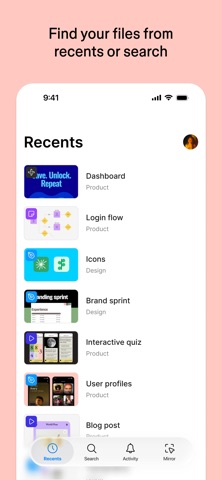
* Search for files by name or browse your recent files.
* Move between pages and flows with ease.
COMMENT AND REPLY
* Add comments and mention teammates across Figma Design, Slides, and FigJam files.
* Get notified for new comments and replies.
* Resolve and reply to comments on the go.
* See every comment thread in one place.
SHARE FILES WITH YOUR TEAM
* Invite collaborators and share links to your files.
PLAY DESIGN PROTOTYPES
* Play and replay prototypes in full screen.
* Adjust prototype scaling.
* Toggle hotspot hints.
MIRROR DESIGNS IN REAL-TIME
* Sync selected frames from desktop to your mobile device.
* Watch live desktop edits reflected on your device.
* Preview designs scaled to a device screen.
PROTOTYPE AND REVIEW WITH MAKE
* Test mobile prototypes and validate on-device interactions
* Share Makes with collaborators for review and approval
EXPLORE SLIDES EFFORTLESSLY
* View and comment on decks in both landscape and portrait mode.
MANAGE PERMISSIONS ON THE FLY
* Update file permissions to control who can view or edit your work.
BROWSE AND SWITCH WORKSPACES AND ACCOUNTS
* Navigate between teams, plans, projects, and accounts.
On iPad, you can also use FigJam to:
* Sketch with the Apple Pencil to explore and iterate on ideas more fluidly.
* Share and riff on early thinking with your team.
* Annotate designs to share feedback.
* Jot down ideas whenever inspiration strikes.