FamApp - The Family Social App

FamApp - The Family Social App Summary
FamApp - The Family Social App is a mobile iOS app in Social Networking by GLABS SOLUTIONS PTE LTD. Released in Nov 2016 (9 years ago). Store metadata: updated Jul 12, 2017.
Store info: Last updated on App Store on Jul 12, 2017 .
0★
Ratings: 0
Screenshots

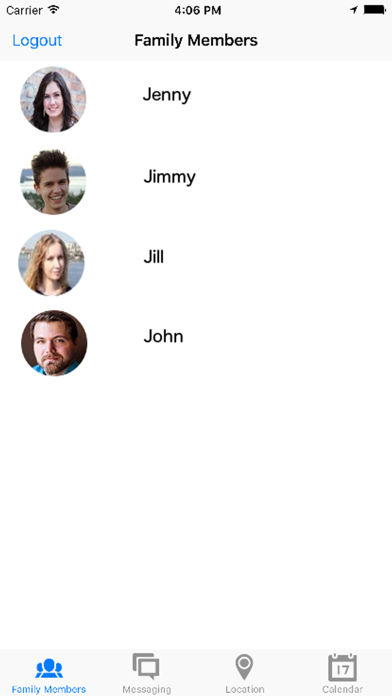
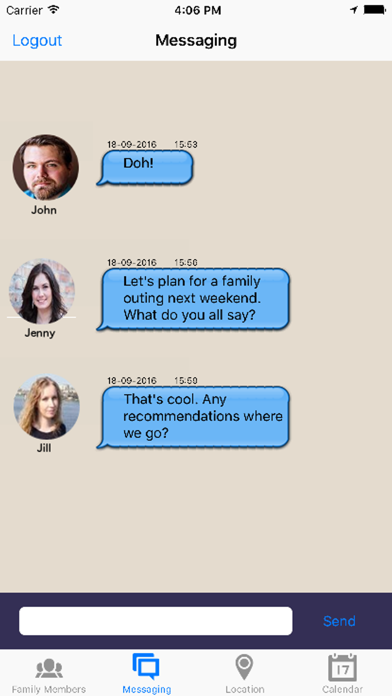
App Description
FamApp is a family social app which enables us to communicate with our family members on a deeper level, while enriching our family lives and enhancing our productivity as we go along.
FamApp features messaging, location tracking, as well as a shared calendar. With the messaging feature, you can chat privately with your family members. The location tracking feature enables you to keep track of where your kids are on a map to make sure they are safe, while the shared calender enables you to share upcoming family events. The shared calendar helps you to organise and plan for family activities in a convenient manner.
Apart from its main features, FamApp is also integrated with Push Notification, so you won't miss any message or calendar event from any of your family members.
Disclaimer: Continued use of GPS running in the background can dramatically decrease battery life.
How to use?
____________
User Login
- You can sign in via Facebook or email. You would need to register for a new account before you can sign in using your email and password.
User Registration
- Enter your name, email and password, then click ‘Register’
Upon signing in
- When you sign in for the first time, you’ll be asked whether you want to join an existing group or create a new one. Once you’ve signed in you do not need to sign in again the next time you launch the app unless you clicked the ‘Logout’ button.
Creating a new group
- At the moment, the app allows you to create only one group for your family. Click create to create a new group, then enter a name for your family group, then click ‘Ok’. Search and select family members from your address book, then press ‘Done’ on your soft keyboard or ‘Add Selection’ once you finalised your selection. You’d then be taken to a New iMessage with a message automatically generated. Read through, don’t make any changes to the message, then click ‘Send’. An SMS would be sent to your invited members.
Joining an existing group
- When you click ‘Join’ to join an existing family group, enter the verification code which was sent to you via SMS. Make sure the verification code is kept private. For security purpose, you’re advised to delete the SMS after you’ve successfully joined the family group.
Profile Pic
- If you sign in with Facebook, your profile pic will be the one taken from Facebook. If you r