Porn Shield - Block Adult Web

Porn Shield - Block Adult Web Summary
Porn Shield - Block Adult Web is a free, with in-app purchases iOS app in Tools by SVG Apps. Released in Feb 2017 (9 years ago). It has 52 ratings with a 2.54★ (poor) average. Based on AppGoblin estimates, it reaches roughly 148 monthly active users and generates around $<10K monthly revenue (100% IAP / 0% ads). Store last updated Jul 2, 2026
Porn Shield - Block Adult Web SDKs Summary
App not yet scanned for SDKs.
2.54★
Ratings: 52
Screenshots


App Description
Porn Shield blocks the access to the porn websites and explicit content in Safari. This porn blocker app helps you stay away from adult content on web.
To block porn on you iOS device, you need to purchase a monthly or annual subscription.
It blocks millions of adult (porn) websites and images. You can feel safe while browsing over internet. You need to delete other browsers and apps that can deliver porn content.
An open internet is unsafe for your children. This app make sure that your children are not chatting or watching movies on porn sites when you're asleep.
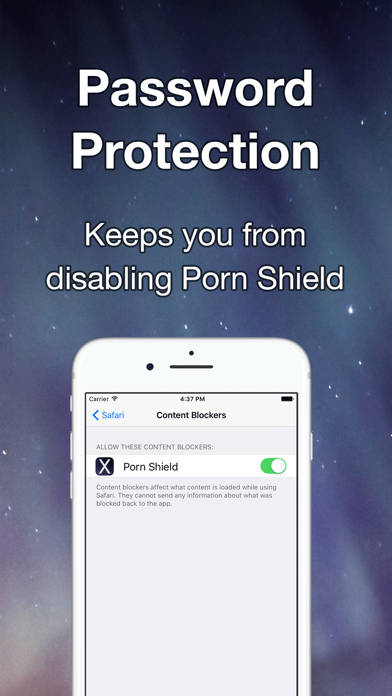
The password protection feature keeps you / kids from disabling the Porn Shield.
This is a must have app if you are
- Porn Addict
- Need parental control
- Surf web frequently
Please contact support@svgapps.com if you find a porn site not blocked by Safari.
Please leave a 5 star rating if you find this app useful. Your support help us keep improving this app.
Information about the auto-renewable subscription
- Porn content will be blocked in Safari as long as your subscription is active.
- You can purchase for monthly subscription ($2.99/month) or annual subscription ($24.99/year).
- Payment will be charged to iTunes Account at confirmation of purchase.
- Subscription automatically renews unless auto-renew is turned off at least 24-hours before the end of the current period.
- Account will be charged for renewal within 24-hours prior to the end of the current period.
- Subscriptions may be managed by the user and auto-renewal may be turned off by going to the user's Account Settings after purchase
- For more information on how to cancel subscription, please review - https://support.apple.com/en-us/HT202039
- Privacy policy: http://www.svgapps.com/privacy-policy
- Terms of use: http://www.svgapps.com/terms