Unfollow for Instagram +

Unfollow for Instagram + Summary
Unfollow for Instagram + is a free, ad-supported, with in-app purchases iOS app in Tools by Vinh Dang. Released in Mar 2017 (9 years ago). It has 36K ratings with a 3.44★ (mixed) average. Based on AppGoblin estimates, it reaches roughly 122K monthly active users and generates around $10K+ monthly revenue (24% IAP / 76% ads). Store last updated Jul 19, 2026
Recent activity: 4.00 new ratings this week View trends →
SDK intelligence: AppGoblin detected 5 development tools(e.g. Google), 2 ad networks,and 1 analytics: product integrated into Unfollow for Instagram +. View full SDK list →
Unfollow for Instagram + SDKs Summary
Unfollow for Instagram + was last scanned for SDKs on 2026-07-13. Below is the overview of third-party companies detected in the app. The full list of SDKs, permissions and unknowns is available here.
 Google
 AdMob
AdMob nanopb
 Alamofire
 MongoDB
 Firebase
3.44★
Ratings: 36K
Screenshots


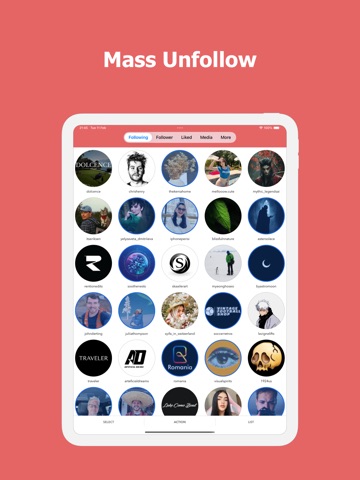


App Description
Unfollow for Instagram is the ultimate tool for cleaning up your Instagram account.
• Track unfollowers
• Bulk unfollow/block/unblock users
• Bulk remove followers
• Bulk delete posts
• Bulk unlike posts
• Whitelist manager
• Support for filters, multiple accounts, relationship indicator
• Quick selection tools (Ghost followers, Inactive users, Non-followers, etc.)
Disclaimer: This app and its makers are not sponsored or endorsed by, or affiliated with, Instagram Inc.
-----------
Auto Renewable Subscription Terms:
* Your free trial subscription will automatically renew to a paid subscription unless auto-renew is turned off at least 24 hours before the end of the free trial period.
* Please note: any unused portion of a free trial period (if offered) will be forfeited when you purchase a premium subscription during the free trial period.
* You can cancel a free trial or subscription anytime by turning off auto-renewal through your iTunes account settings. This must be done 24 hours before the end of a free trial or subscription period to avoid being charged. The cancellation will take effect the day after the last day of the current subscription period, and you will be downgraded to the free service.
Terms of Use:
https://instacleaner-6380a.web.app/terms.html
Privacy Policy:
https://instacleaner-6380a.web.app/policy.html